Live editor for FM27
Take Control ofYour FM27 Career.
Manage players, clubs and career data from one modern interface with TACTRIX.
- Windows 10/11
- FM27 (Steam)
- Read-only by default
- History and undo
Why TACTRIX
No save-file juggling. While the game runs.
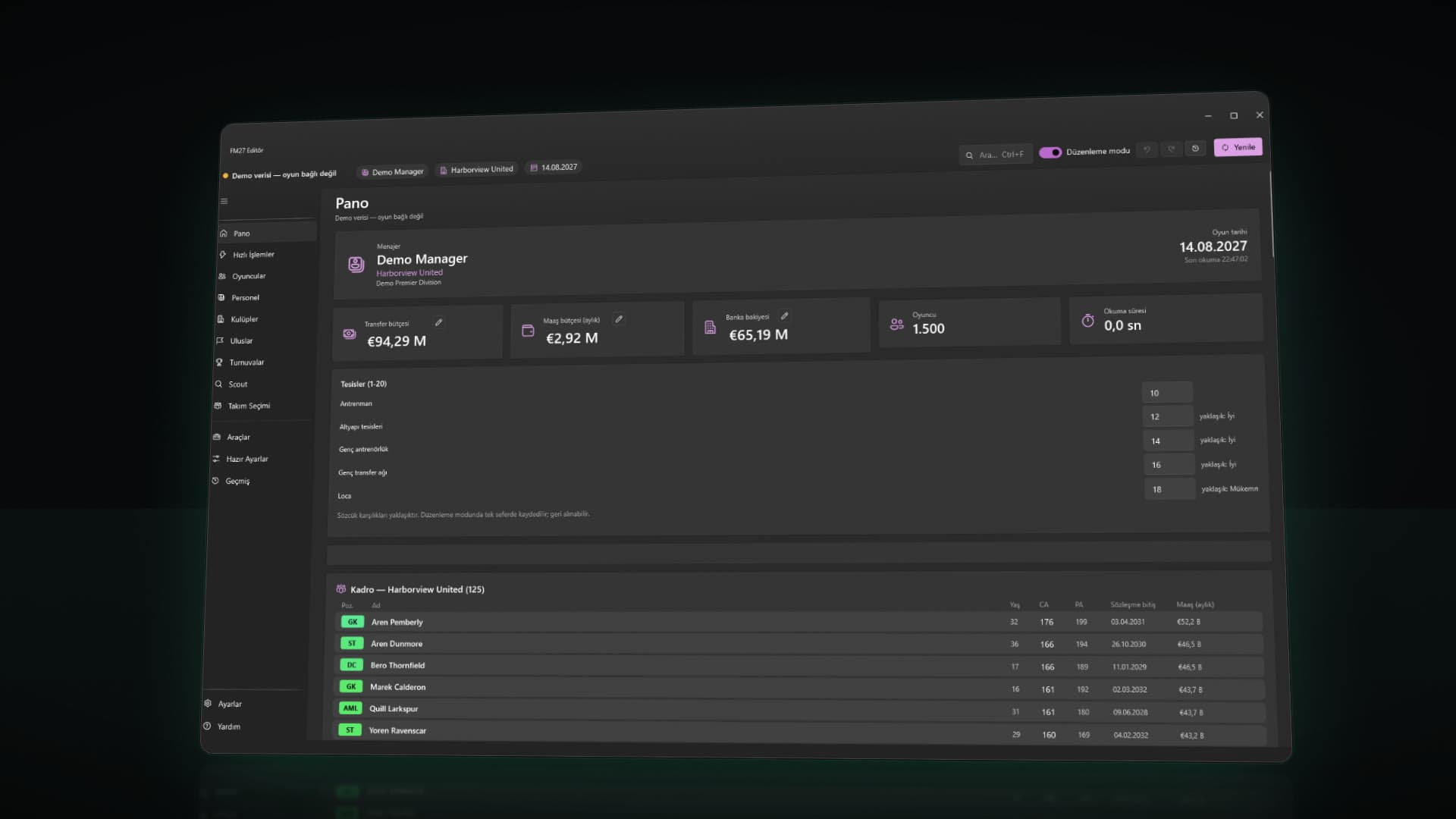
TACTRIX connects to the running Football Manager 27 and shows your career live. Changes become permanent when you save the career in the game.
Live editing
No need to close the game or export save files: the editor reads the running career directly.
Safe by default
Opens read-only. Edits are written to history and can be undone; if the game changed a value meanwhile, it is reported as a conflict. The app warns you before the few actions that cannot be undone.
One-click actions
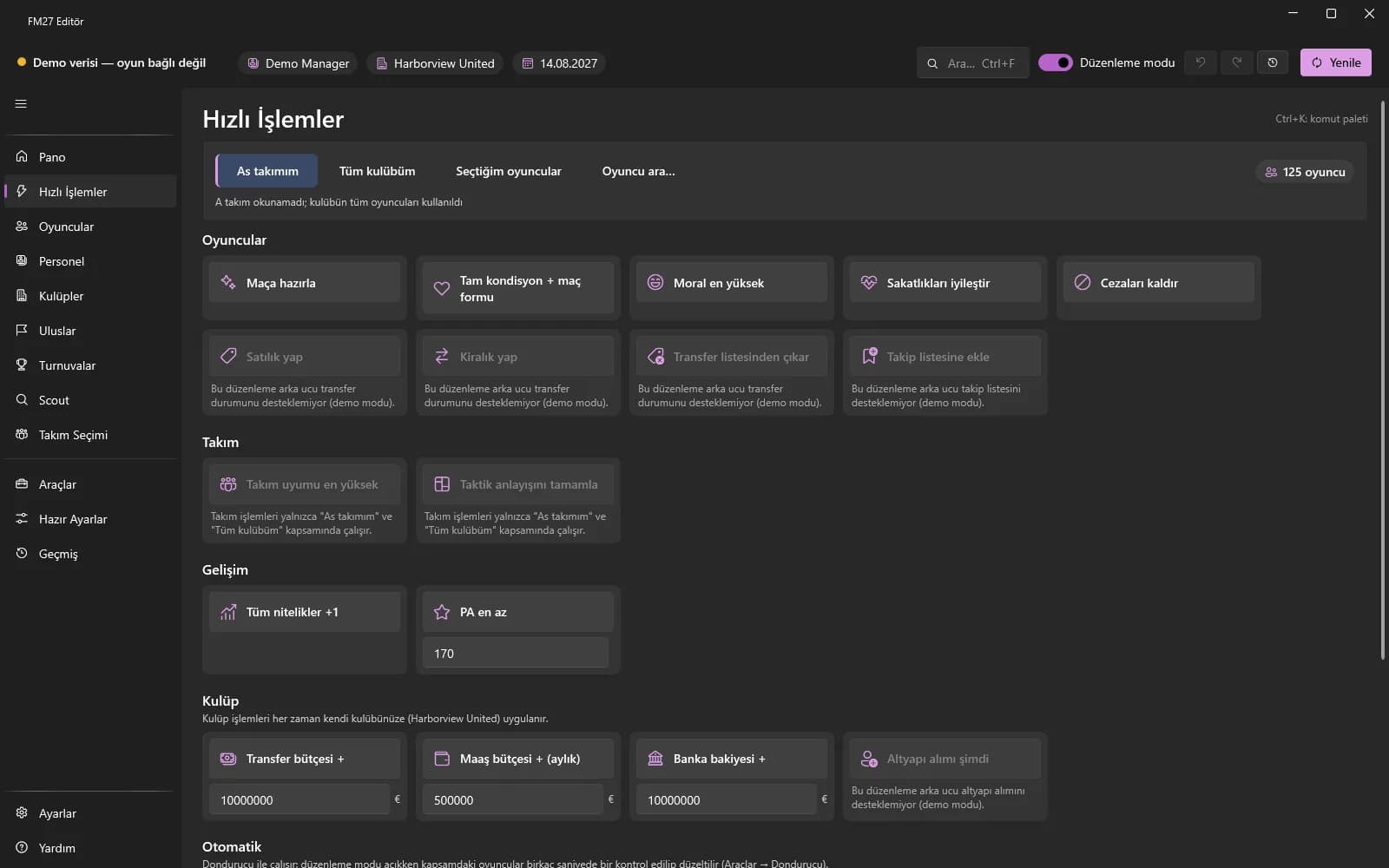
Quick Actions and presets handle match prep, fitness, morale and budgets in one click.
Deep coverage
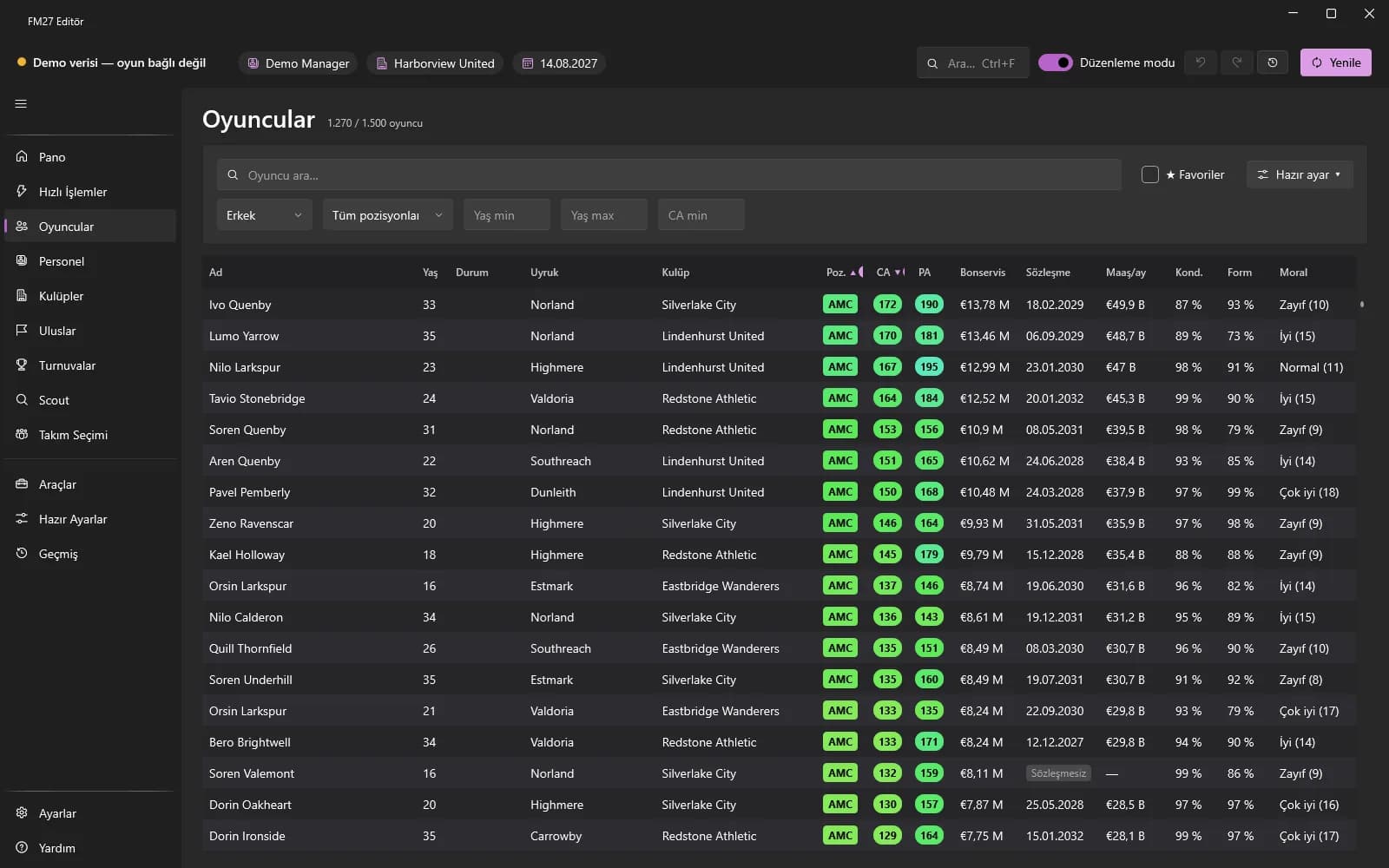
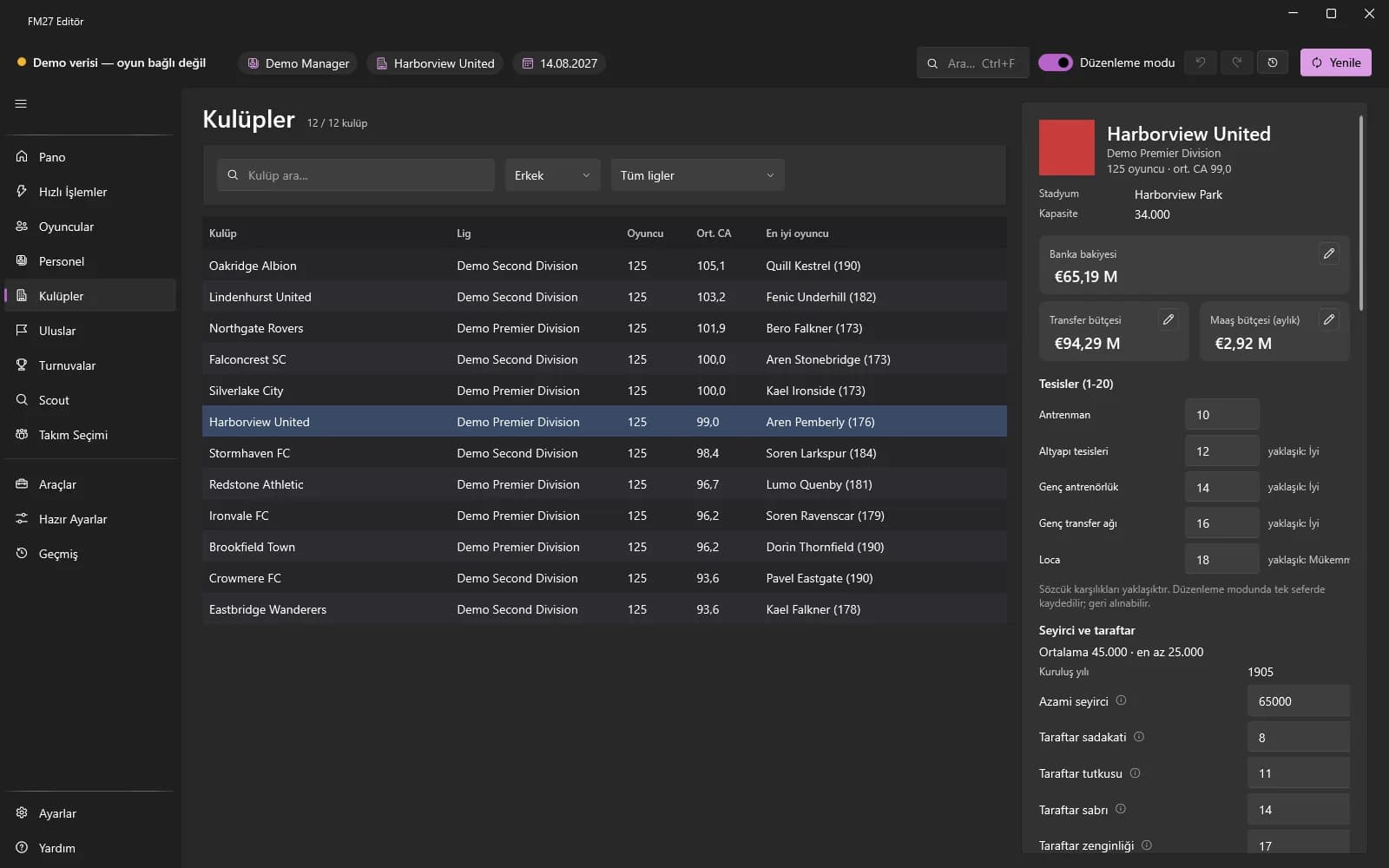
Players, staff, clubs, nations and competitions: from attributes to contracts, facilities to rules.
Look before you buy
In free mode every page can be viewed read-only; editing needs a license.
Automatic backup
The first time you turn on Edit mode in a session, your latest career save is backed up automatically.
Features
Every layer of your career, one interface.
Real screens from the app, captured in demo mode with fictional data.
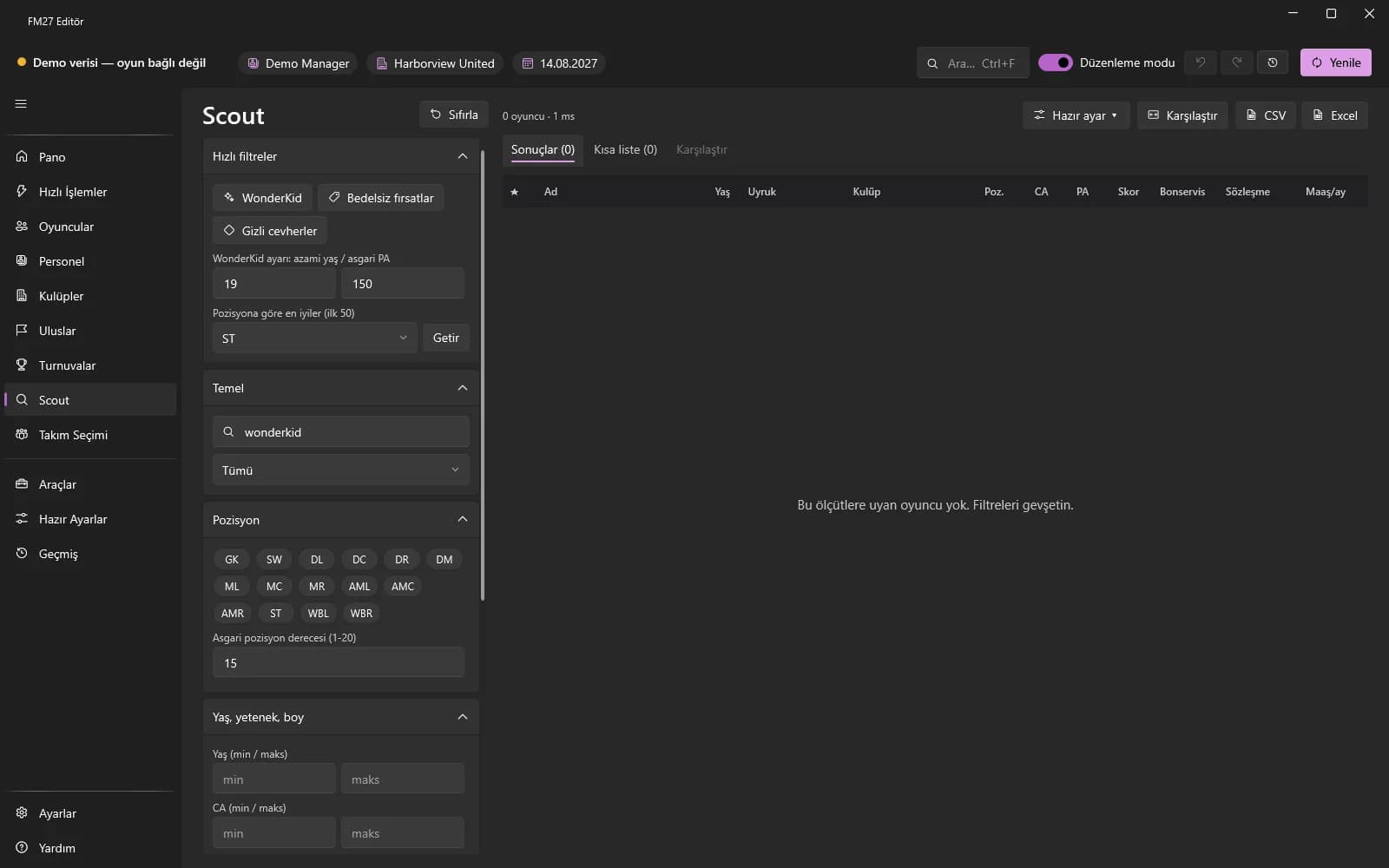
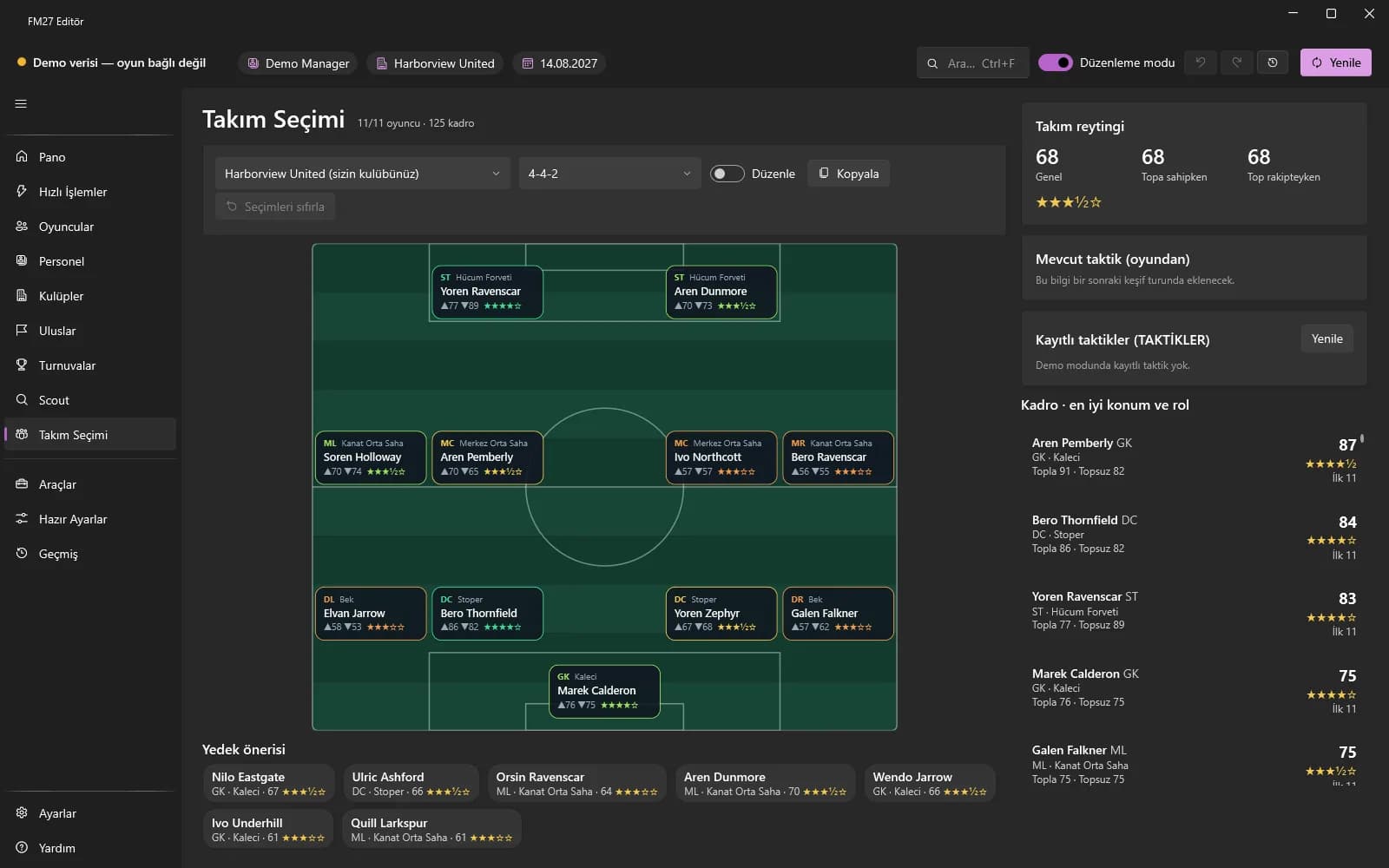
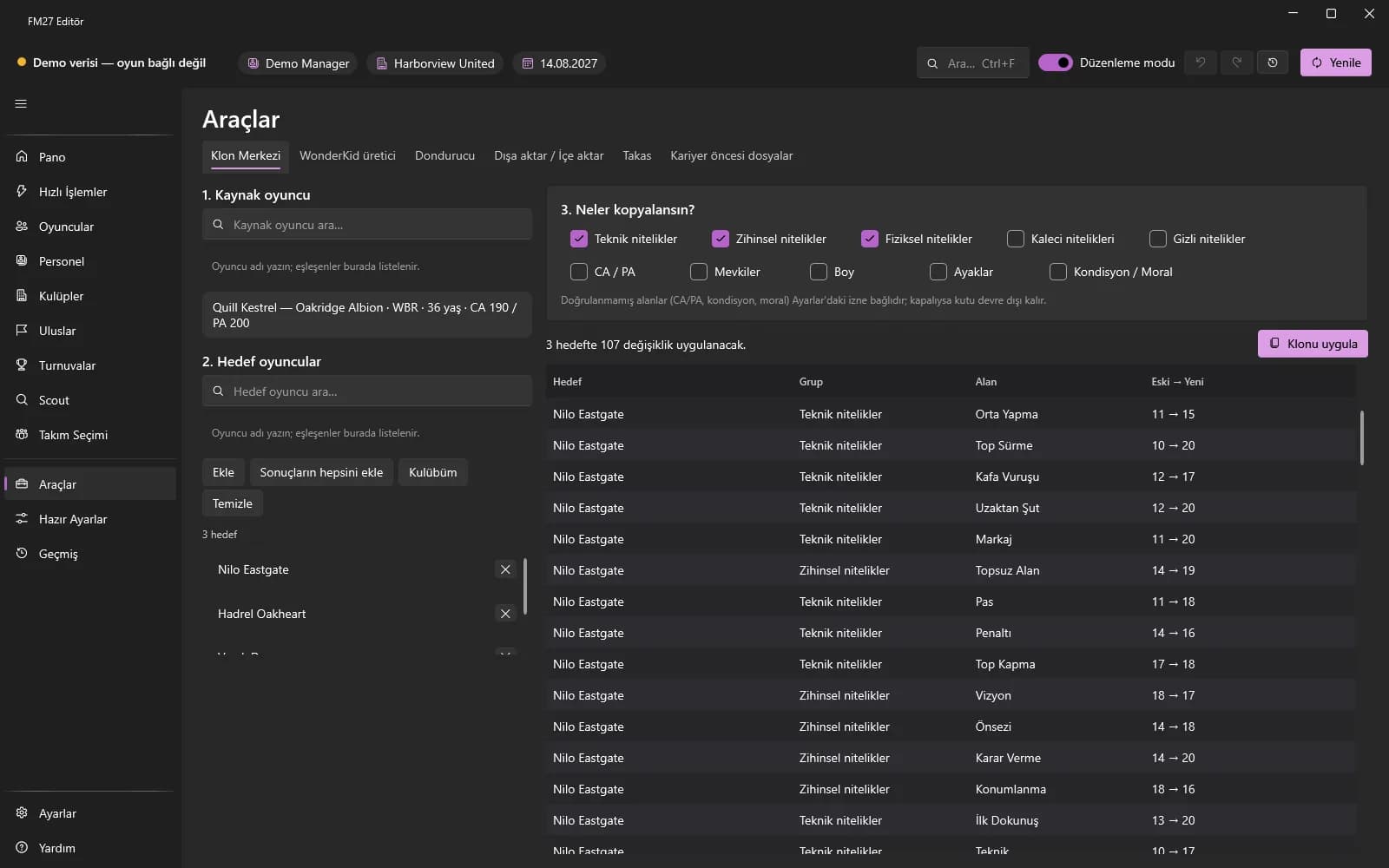
Product preview
Move between the screens.
Pick a screen; click the image to open it at full size.
Dashboard: your career at a glance.
Showcase
See TACTRIX at work.
Transcript
Music only, no voice-over. On-screen text (the film's copy is in Turkish): TACTRIX Editor 27 — Control the details. Live editor for FM27. Real application screens; demo mode, fictional data. One edit, end to end: 01 Find (search and select the player), 02 Open (profile and attributes), 03 Edit (fields unlock in Edit mode), 04 Apply (written, recorded in history). Example: Pavel Eastgate, CA 190 → 196. Undo with Ctrl+Z. Quick Actions — Pick a scope, click a tile. Each click is one history entry. Team Selection — Suggested XI and team rating. Wonderkid generator — Role-based attribute shaping, with a preview. History and undo — Every write is logged; undo one change or a whole batch. Players. Clubs. Staff. Nations. Competitions. Every layer of your career, one interface. Your game. Your control. TACTRIX Editor 27 · FM27 Live Editor — Take control. tactrixfm.com Independent tool; not affiliated with Sports Interactive or SEGA.
How it works
Live editing in four steps.
- 01
Open FM27 and load your career
Be inside the career, not on the main menu.
- 02
Start the editor
TACTRIX connects read-only; the manager, club and game date appear in the top bar.
- 03
Turn on Edit mode
Change values. Edits are written to history; undo with Ctrl+Z.
- 04
Save the career in the game
Changes become permanent when you save the career from the game's own menu.
History and undo
Edits keep their old and new value.
The History page lists edits in batches. Undo or redo a whole batch or a single change.
- Old → new value on every row
- Undo and redo per batch or per change
- Before undoing, the value in the game is checked; if it changed, it is left alone as a conflict
Plans
Explore for free first.
In free mode every page opens read-only. Editing needs a 1-year license; it is not a subscription and does not renew by itself.
Free
TRY 0
Look at every page read-only before you buy.
- Read-only viewing of every page
- Player, staff, club, nation and competition data
- Scout search, comparison and export
- Nothing is written to the game without a license
Yearly
2 devicesTRY 670
1-year license
Every editing feature; a 1-year licence, paid once.
- Everything in Free
- All editing features and Quick Actions
- Applying presets, Freezer and Tools
- 2 devices at a time; free a device slot from the app
- Short offline grace period
Compare plansPurchasing is not open yet.
Compatibility
What it works with, and what it doesn't.
Supported
- Football Manager 27 (Steam)The game must be running with a career loaded.
- Windows 10 / 11 (64-bit)No administrator rights needed to install.
- No .NET install neededThe app ships with everything it needs.
- Offline single-player careersDesigned for offline single-player careers only.
- Adapts to game updatesTries to adapt to a new game build by itself; if validation fails, editing stays disabled.
Not supported
- macOS and LinuxWindows only.
- Other FM versionsFootball Manager 27 only.
- Online modesNot for online or multiplayer careers.
Take your career to the next level.
Take the product tour first, compare plans after.