Requirements
The editor attaches to a running Football Manager 27; the game must be open with a career loaded.
Free
Features
Here you find every feature of the app, with how it works, what it needs and where its limits are. The descriptions are based on the app's own guide.
Search by text or filter by module, license and verification status.
Requirements, connecting, Edit mode, saving, license and game updates.
Module page: Getting started and platform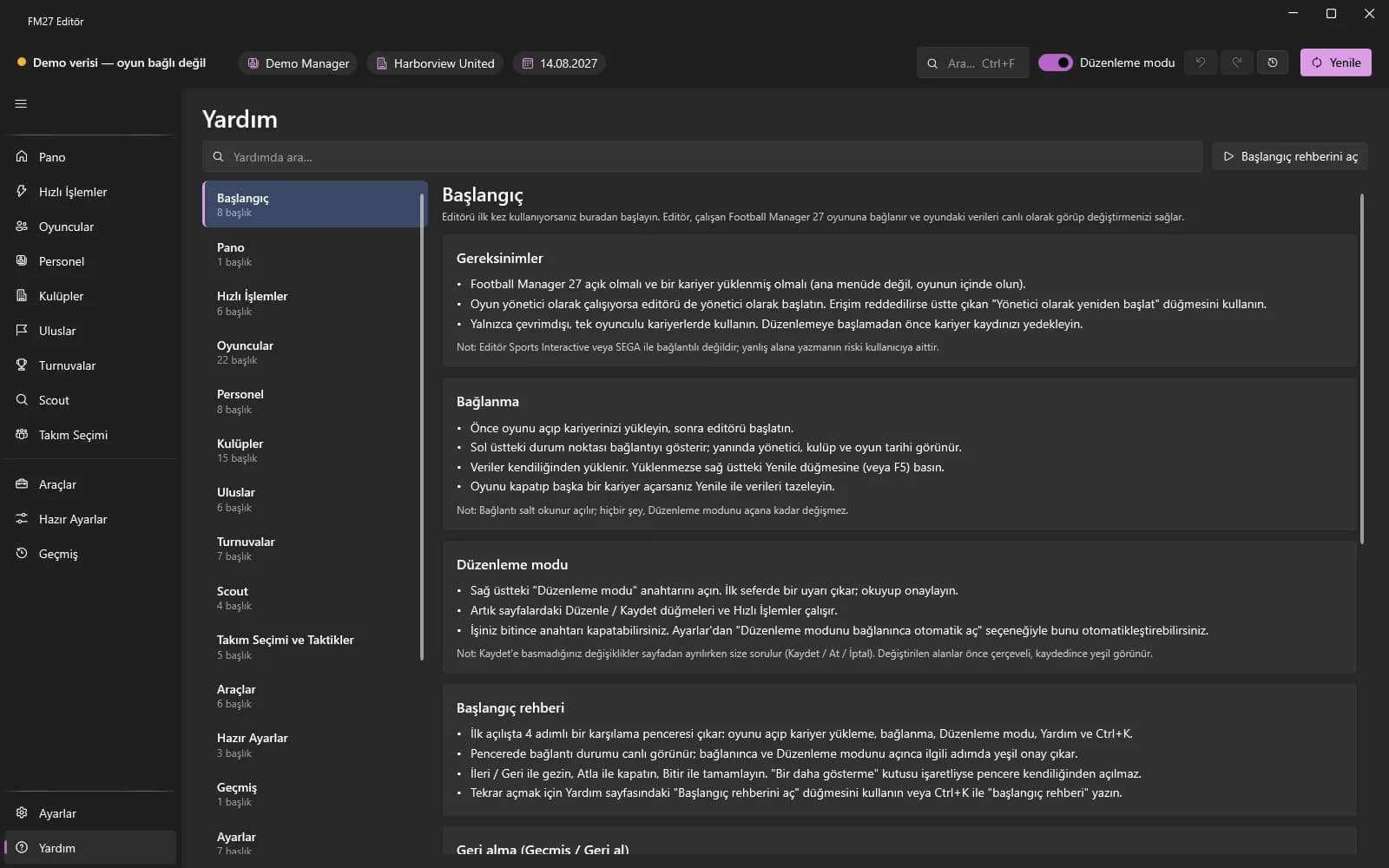
The editor attaches to a running Football Manager 27; the game must be open with a career loaded.
The editor attaches to the running game; the header shows a status dot, the manager, the club and the game date.
The switch at the top right enables writing; until then the editor only reads.
A 4-step welcome window on first start that shows the connection status live.
Changes live in the game's memory; save the career in the game to make them permanent.
One switch that unlocks fields not yet fully verified in the game.
The editor recognises a new game build and tries to adapt; if validation fails, writing stays off.
A searchable in-app guide that covers every module.
Without a license every page can be viewed read-only; edits are refused with a license prompt.
Enter your key in the license window to unlock editing.
A license works on 2 devices at a time; free a slot from inside the app.
The career summary that opens on connect; budgets and facilities on one screen.
Module page: Dashboard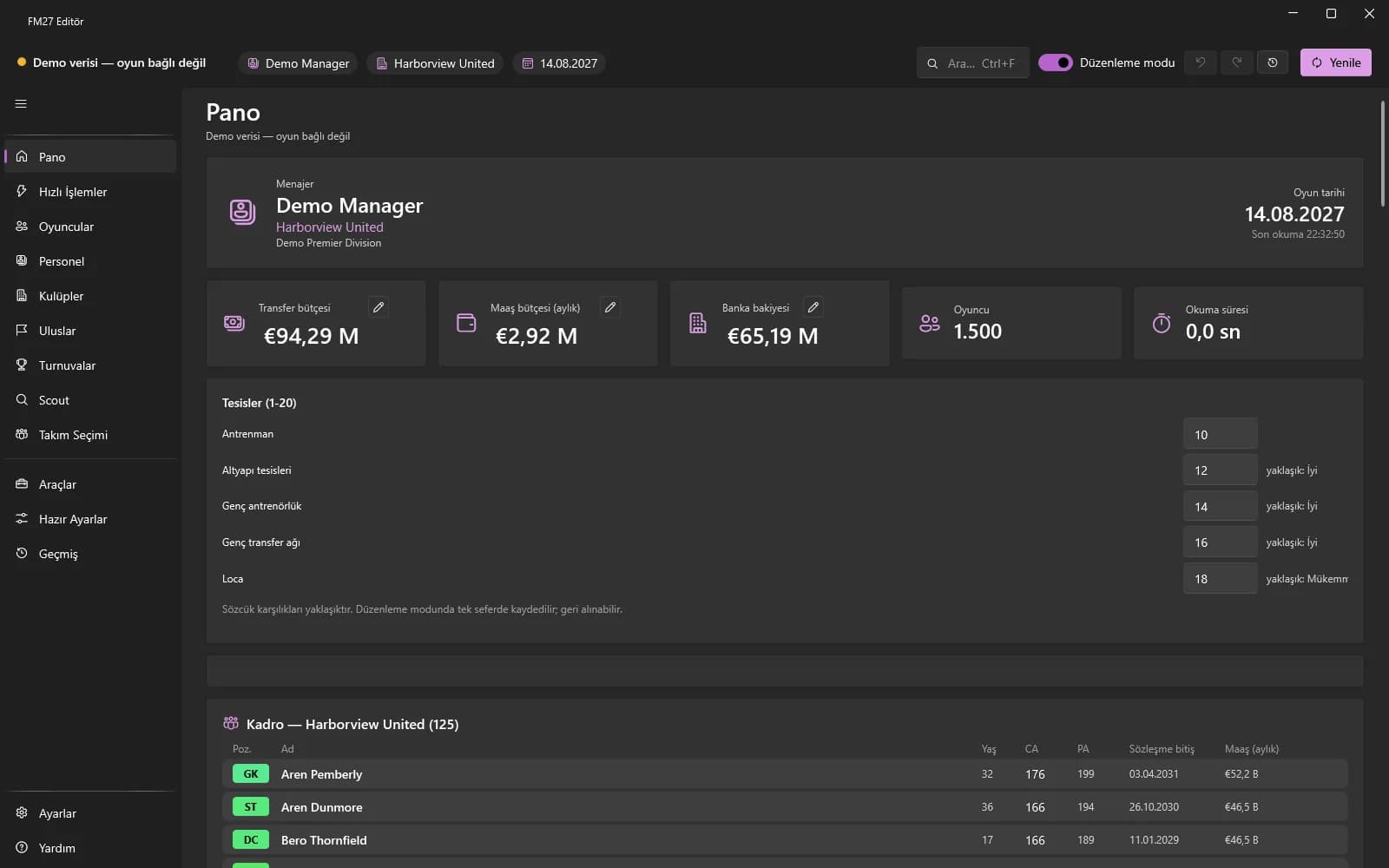
The summary that opens when you connect: game date, manager, counts, your club's budgets and facilities.
Pick a scope, click a tile: match prep, fitness, morale, budgets and more.
Module page: Quick Actions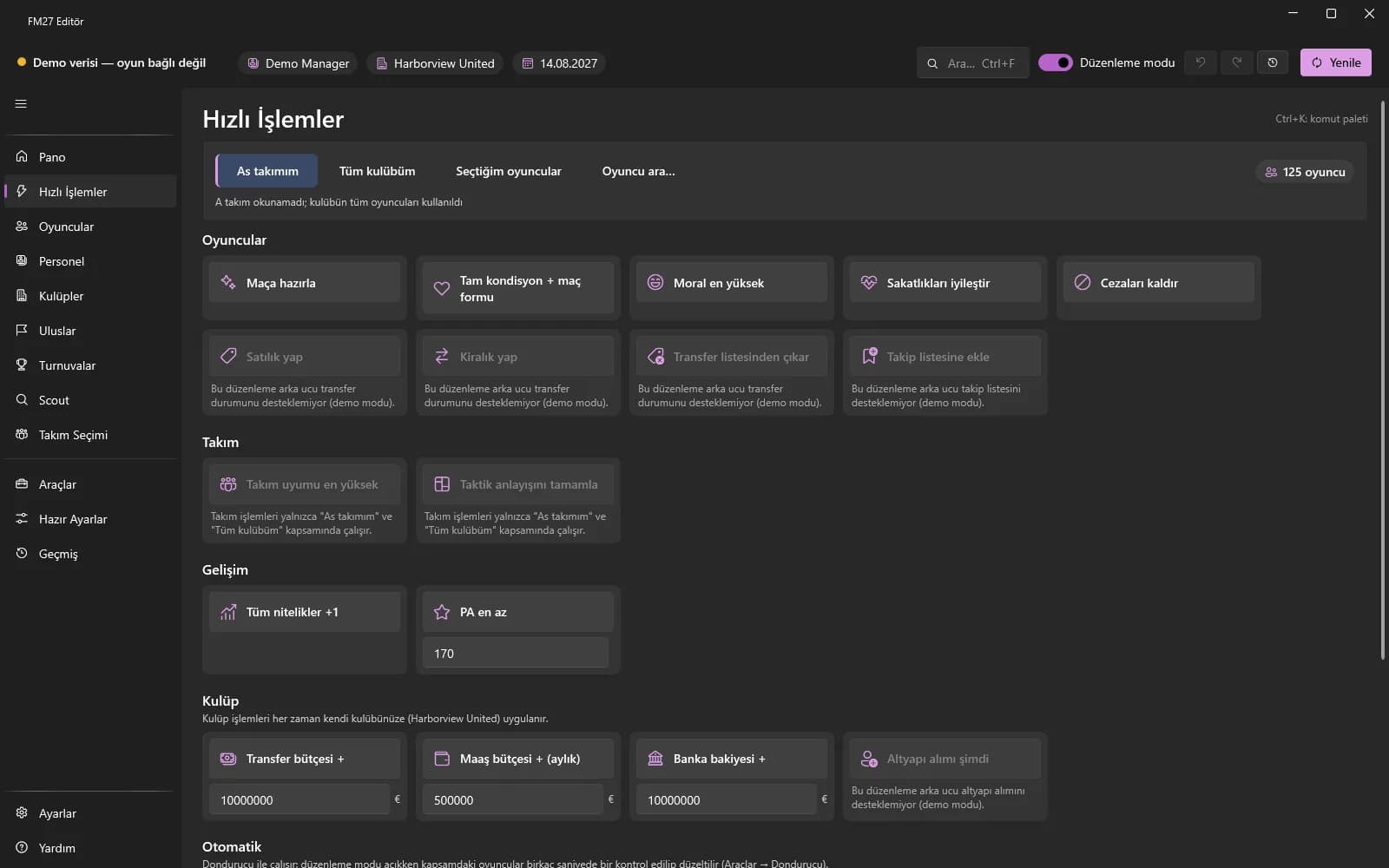
Choose a scope, click a tile: prepare for match, fitness, morale, injuries, suspensions and transfer status.
Maximum team cohesion and Fill tactical familiarity.
All attributes +1 and Minimum PA: raise potential to a floor.
Transfer budget +, Wage budget + (monthly), Bank balance + and Youth intake now.
Your own presets, actions for a single player and the continuously running Automatic switches.
Every player in the game: list, profile, attributes, contract, transfers, injuries and more.
Module page: Players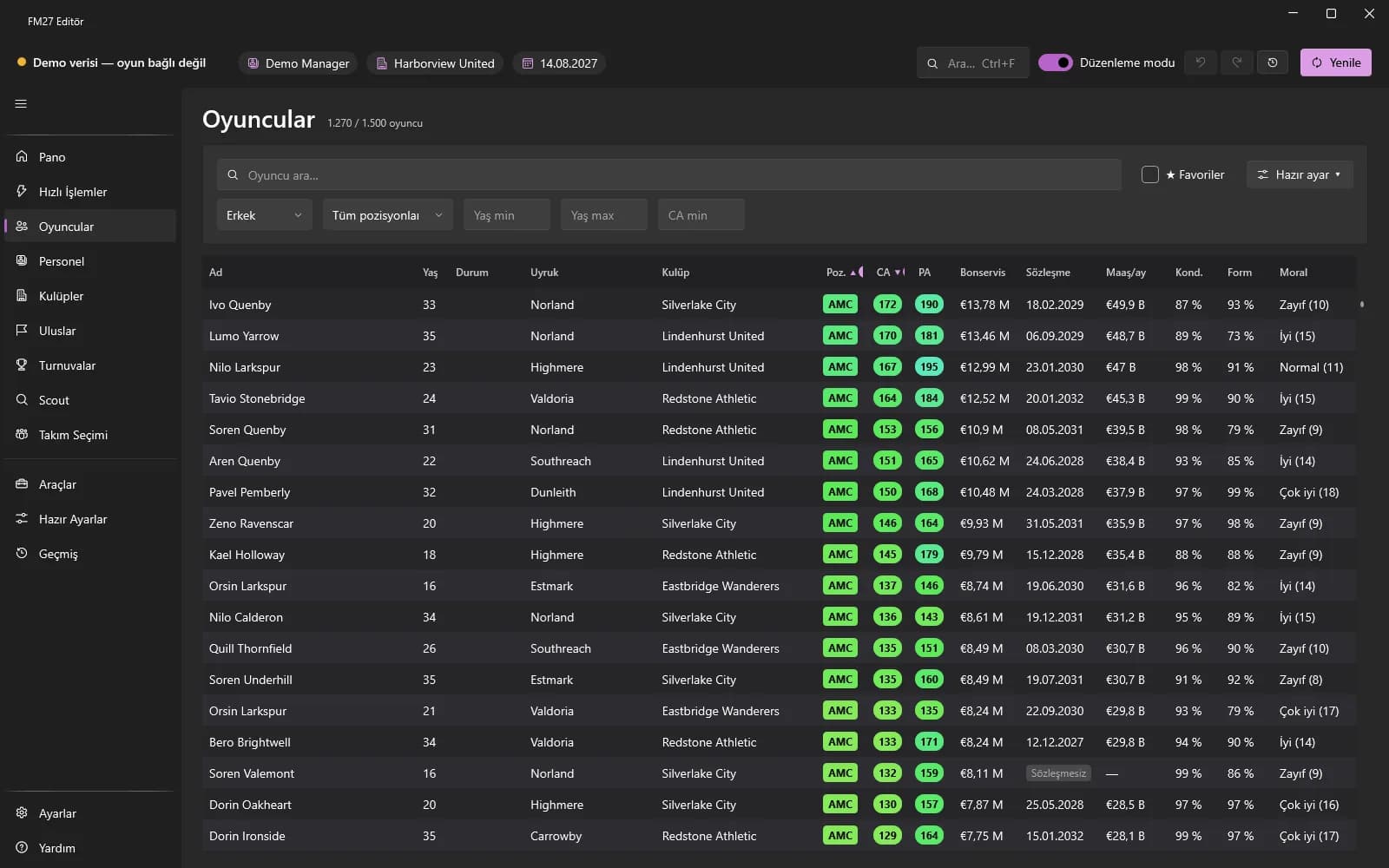
Search, filter and sort every player in the game by up to 3 keys.
Write fitness, morale, match form, wage and contract expiry to all selected players at once.
Technical, mental, physical, goalkeeping and hidden attributes; date of birth, height, foot, names, languages and personality.
Edit current and potential ability on the profile or in bulk.
Edit the 1-20 rating of every position.
Wage, contract expiry, squad number and the values of existing contract clauses.
Add a new contract clause by type and amount, or remove one.
Fitness, match form and morale; retirement date, relationships, career plans, international caps / goals and scout info.
Ethnicity, hair colour, hair length and skin tone; optionally your own face image.
Edit appearances and goals in past season rows; view the current season statistics.
Add or remove a player's second nationality.
Grant or remove an open-ended work permit; edit the joined-club and arrival dates.
Mark a player as Transfer Listed, Loan Listed or Not set.
Loan a player to a club with an end date, wage share and squad role.
Schedule a transfer with the buying club, joining date and fee.
Release a player from his club to free agency.
Sign any player for your club, or exchange two players.
Register or unregister a player and see quota compliance in advance.
Heal or add an injury; remove or add a league, cup or continental suspension.
Change a promise deadline, remove it, or add one by copying a similar promise.
Add a player to, or remove him from, the game's shortlist.
Add to favourites, copy name and UID, compare 2-3 players.
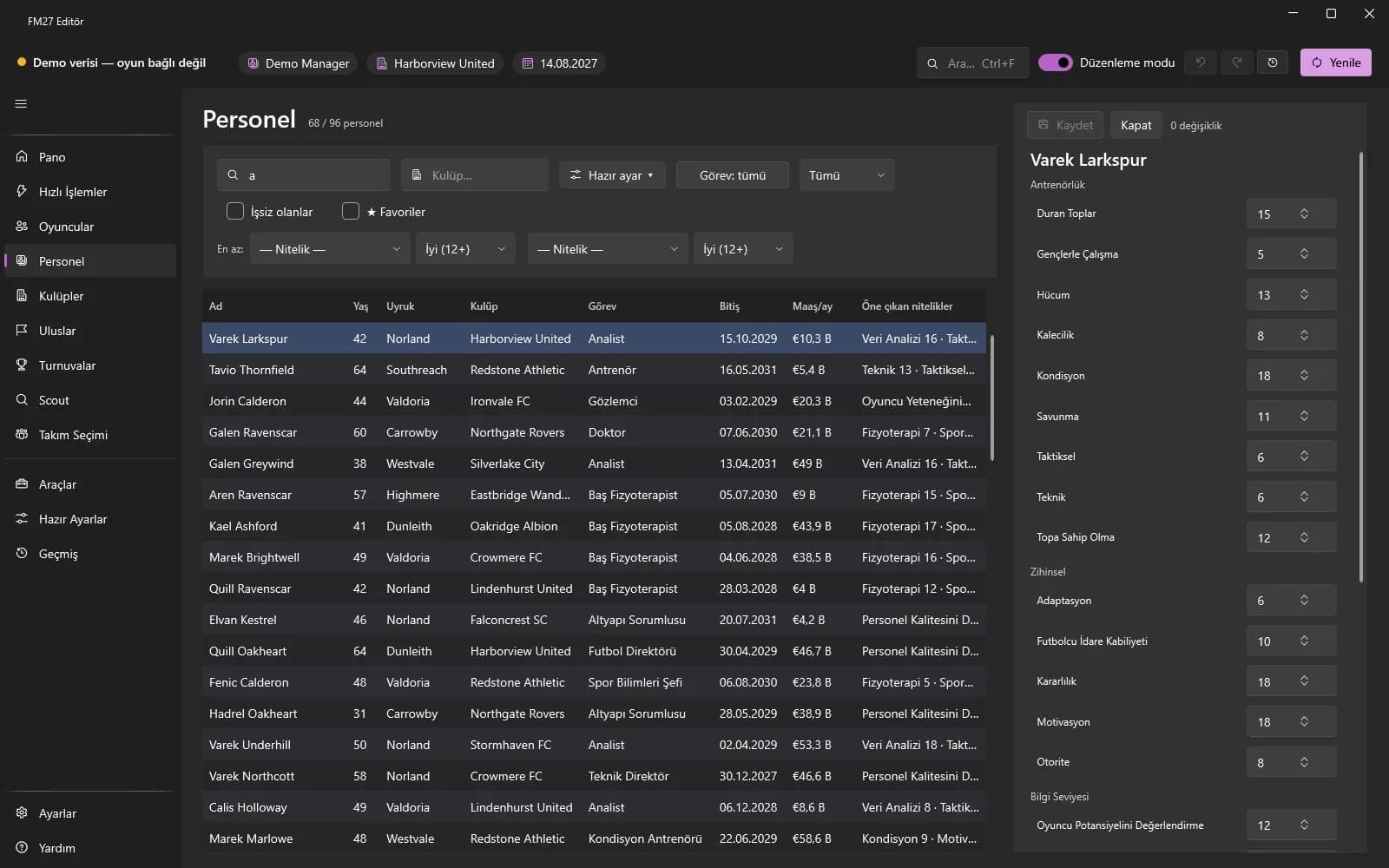
Search, filter and sort coaches, scouts, managers and national team staff.
Coaching, scouting and manager attribute groups; personality, chairman attributes and languages.
Monthly wage and contract expiry; national team wage for national team staff.
First, last and common name; nationality, planned retirement date and caps / goals for former players.
Edit training ratings; view formation and tactical tendencies.
Two staff members take over each other's roles.
Release a contracted department staff member.
Change the goal and role of an existing career plan and the level of existing relationships.
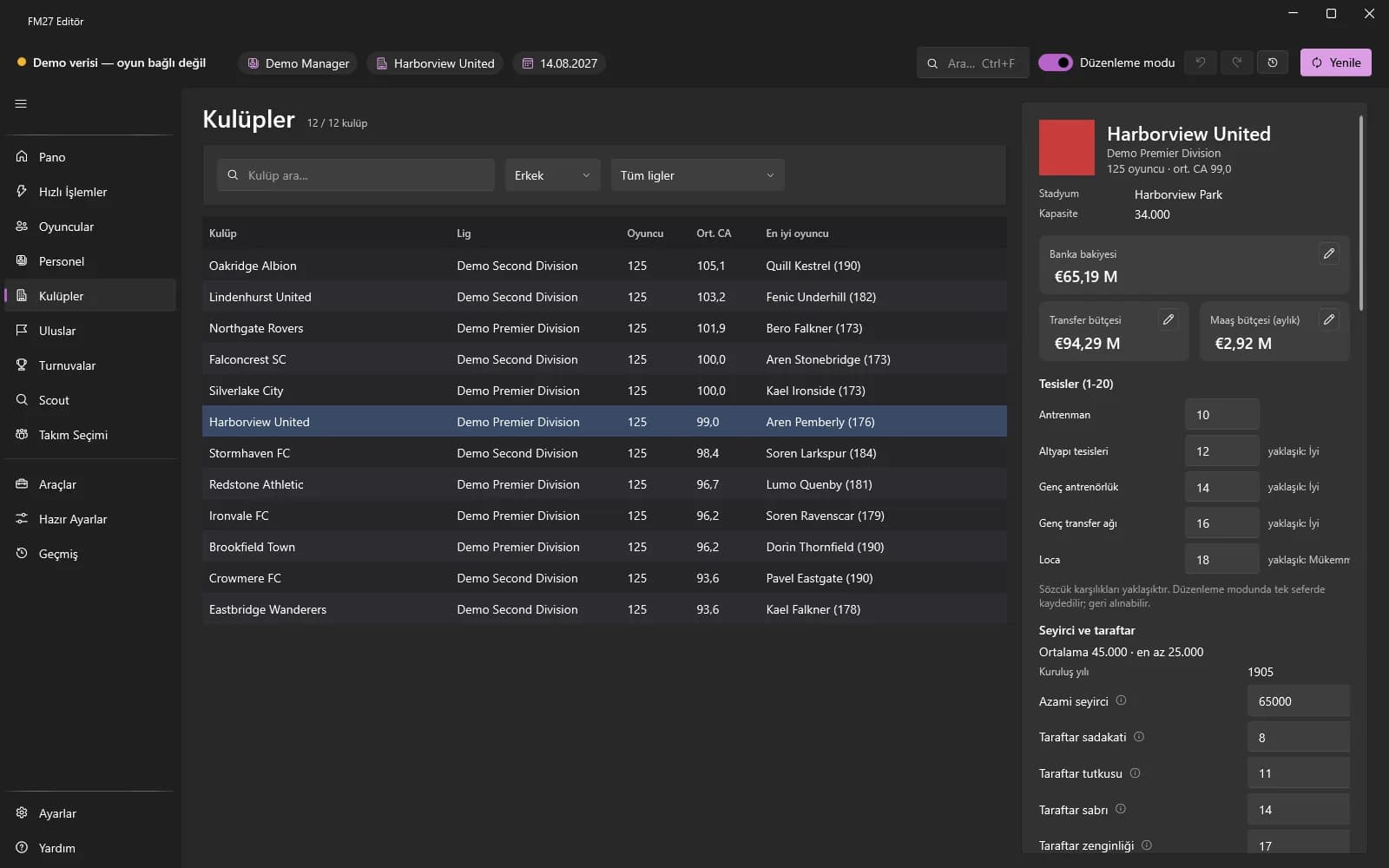
Search every club in the world, filter by league and see the general information.
Edit bank balance, transfer budget and wage budget; see the season income / expenditure totals.
Change the average ticket price.
Change a loan's principal, monthly instalment and end date, or delete the debt.
Change the club's monthly wage cap; optionally keep it fixed with the Freezer.
Training, youth, corporate, junior coaching and youth recruitment levels (1-20).
Change the ownership type and assign a wealthy businessman to the club.
Add, update or remove rivals and affiliated / feeder clubs.
Choose the regional league the club belongs to.
Capacity, expansion capacity and year founded; attendance and fan information.
Pitch length (90-120 m) and width (45-90 m); roof and retractable roof.
Run the game's own youth intake for the club right away.
Edit the club's kit colours.
See the club's teams; change existing sponsor deals and club vision objectives.
Fill cohesion and familiarity with the Quick Actions tiles or the Team Selection card.
Agreements, work permit rules, rivals, transfer preferences and the national team.
Module page: Nations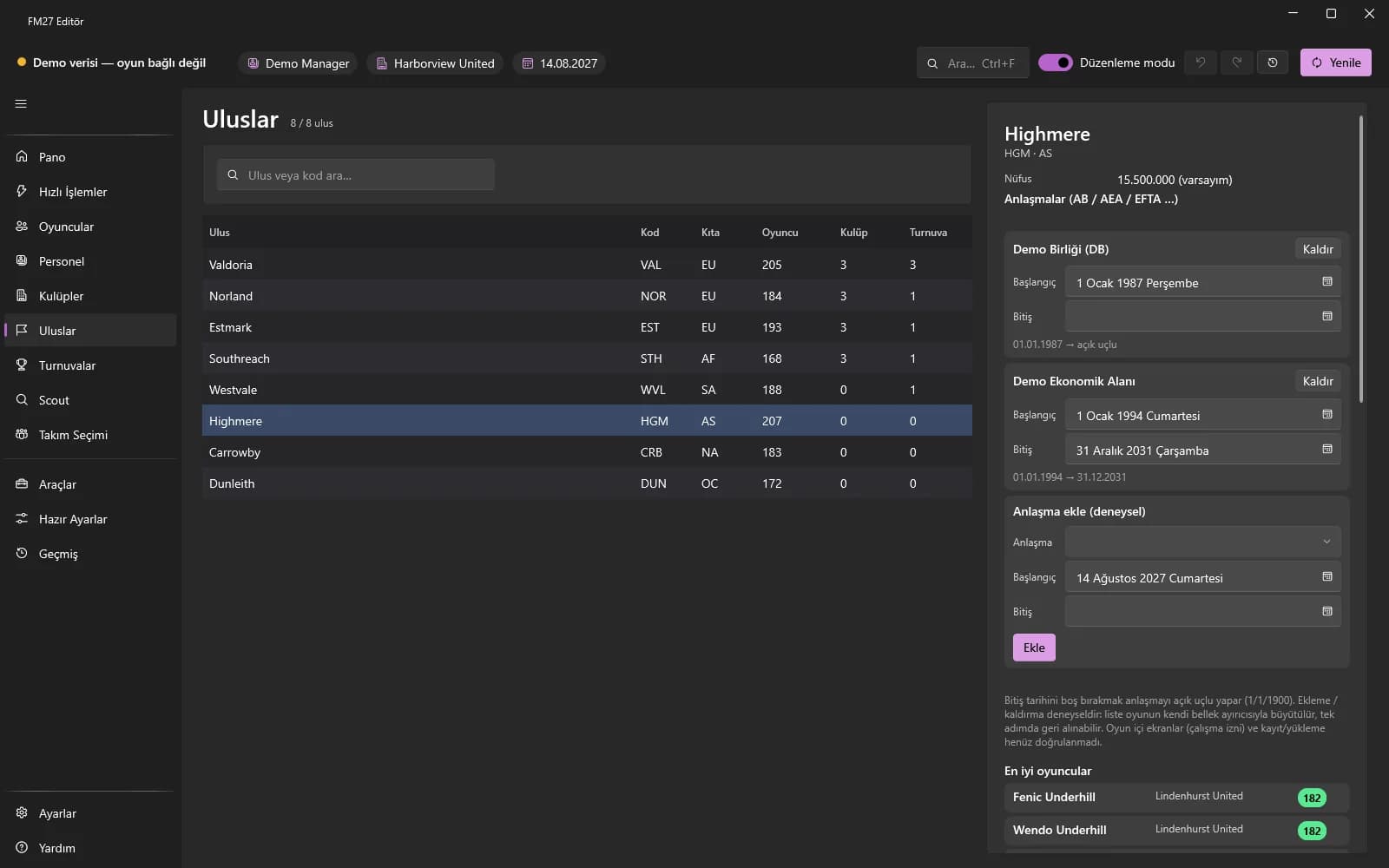
Change the dates of agreements between countries; add or remove an agreement.
Edit work-permit rule values and transfer window dates per nation.
Add, update or remove rival nations, optionally both ways.
Add, update or remove the countries a nation prefers to sign players from, with a rating.
National team information, squad and best players; drop a player and call up another.
Nation information (population, competitions) and national kit colours.
Reputation, rules, squad limits, prize money, standings and fixtures.
Module page: Competitions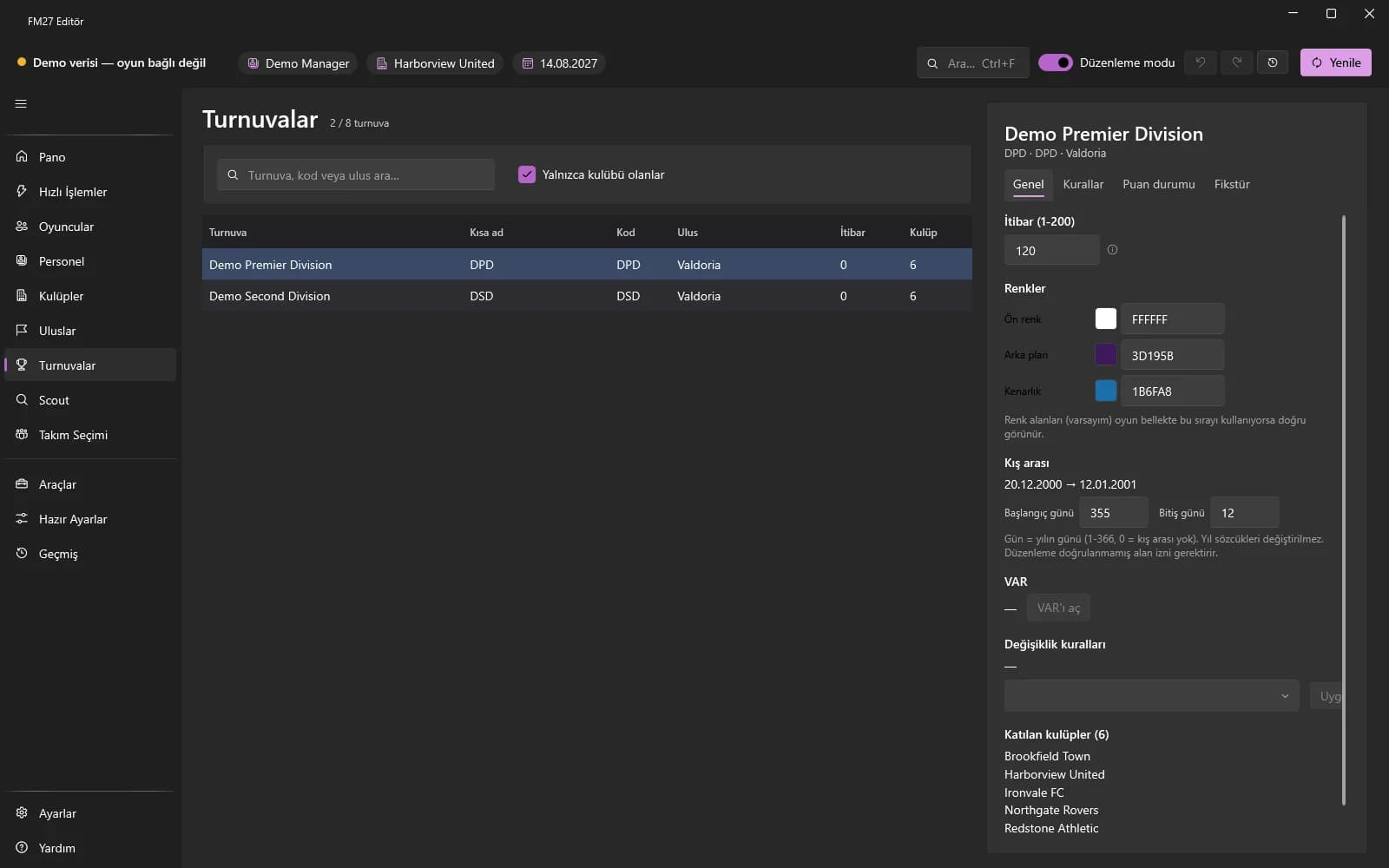
Competition reputation (1-200), RRGGBB colours, winter break days and VAR use.
Change the maximum squad size and the home-grown player limits.
Pick one of the game's ready-made substitution rule sets.
Change the opening and closing dates of the transfer window.
Change ranking, per-match, broadcast and assistance prizes.
Edit teams' P, W, D, L, goals for / against and points with a preview.
Move an upcoming match to another day on the same calendar.
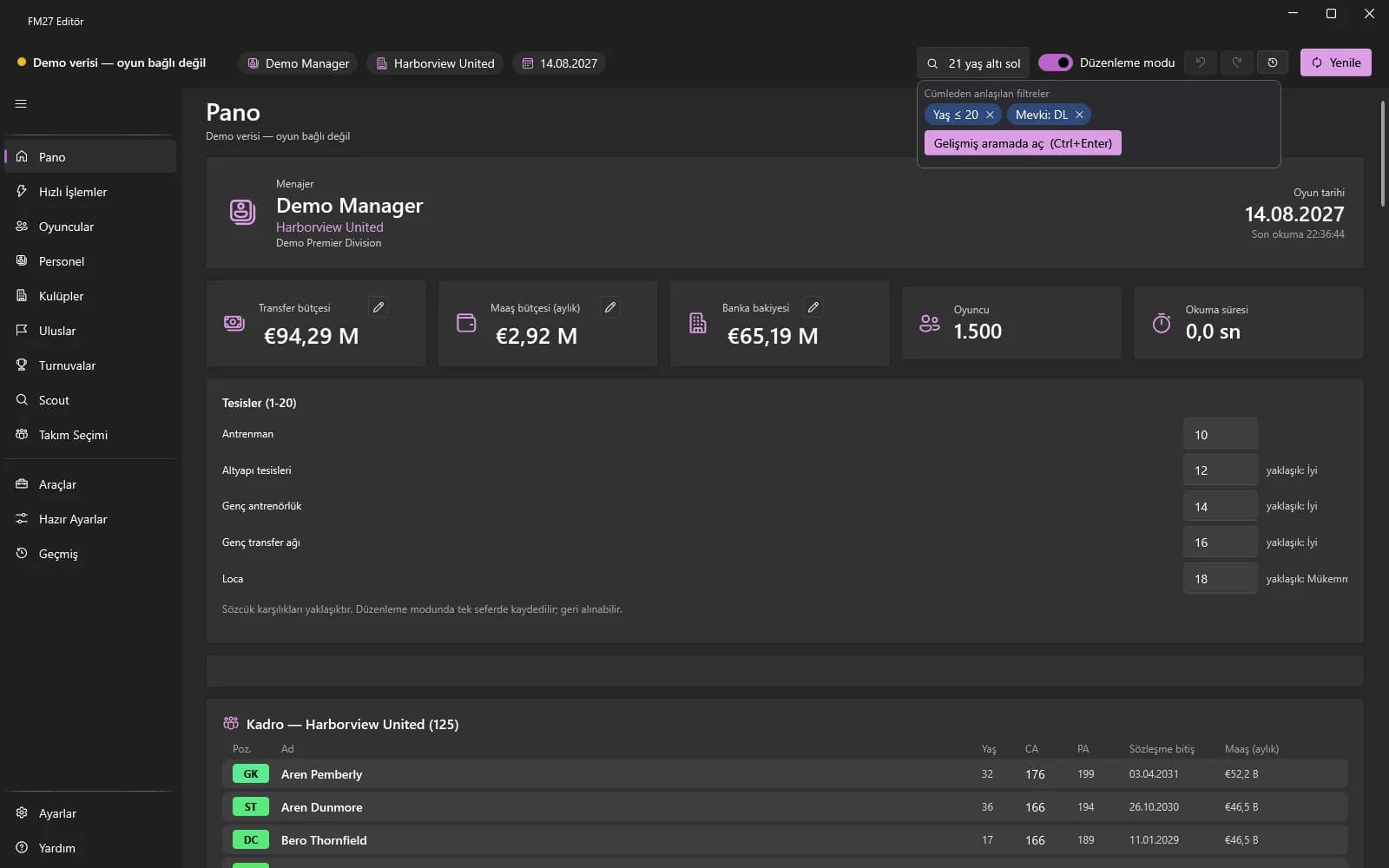
Advanced search across every player in the game, with ready-made quick filters.
Type "under 21 Brazilian left back"; the editor turns the sentence into filter chips.
Save filter sets, compare 2-3 players and export results as CSV or Excel.
See the game's shortlist; export / import it as .fmf and CSV.
Suggested starting XI, the formation editor and saved in-game tactics.
Module page: Team Selection and Tactics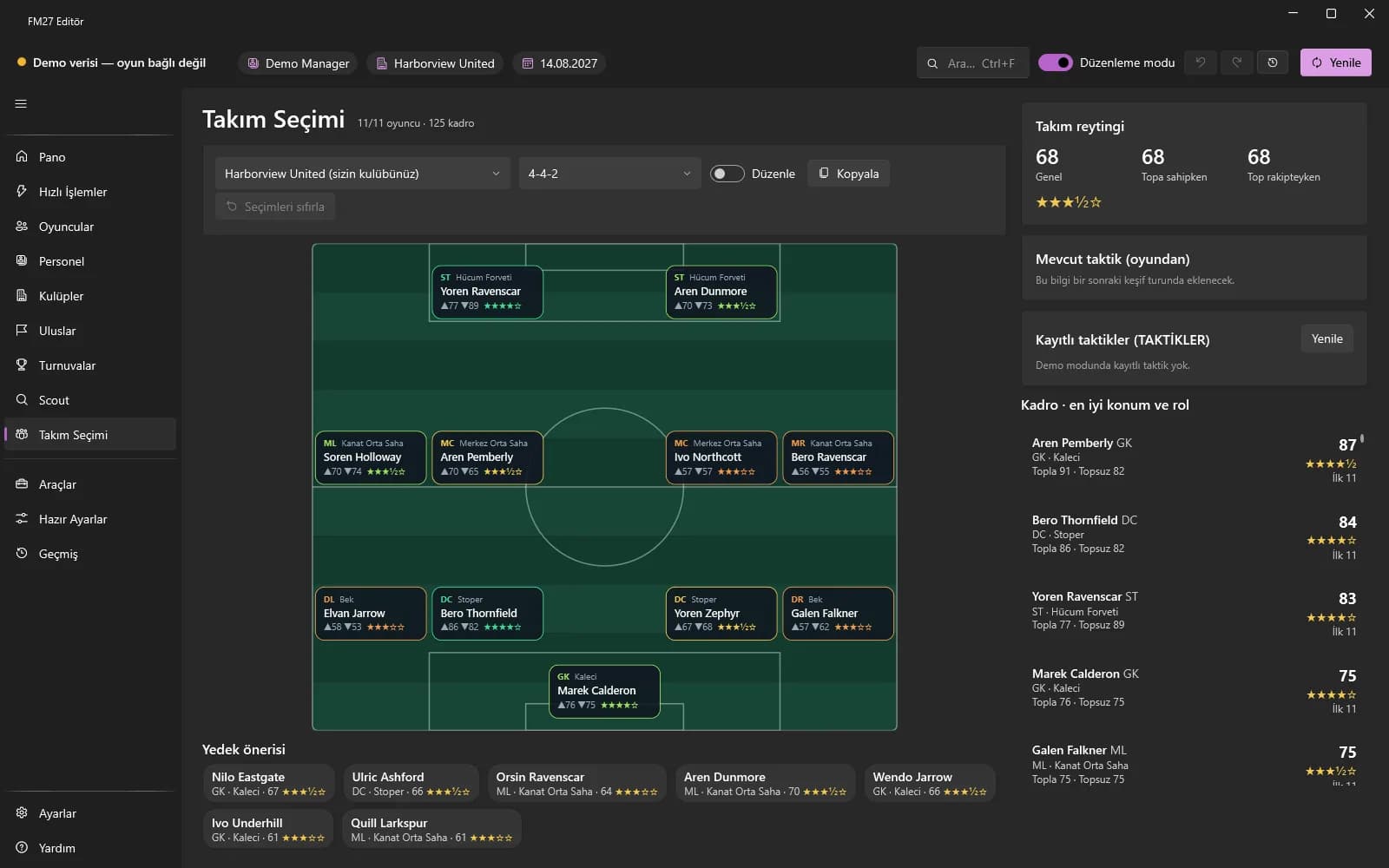
A club's calculated starting XI, suggested substitutes and team rating in / out of possession.
Drag cards on the pitch, copy and rename formations, reset selections.
Change the roles, mentality and playing style of a saved in-game tactic.
Choose values in groups such as Tempo and Defensive Line and apply the instructions.
The "Set team cohesion" slider and the "Fill tactical familiarity" button.
Clone Centre, Wonderkid generator, Freezer, Export / Import, Swap and pre-career files.
Module page: Tools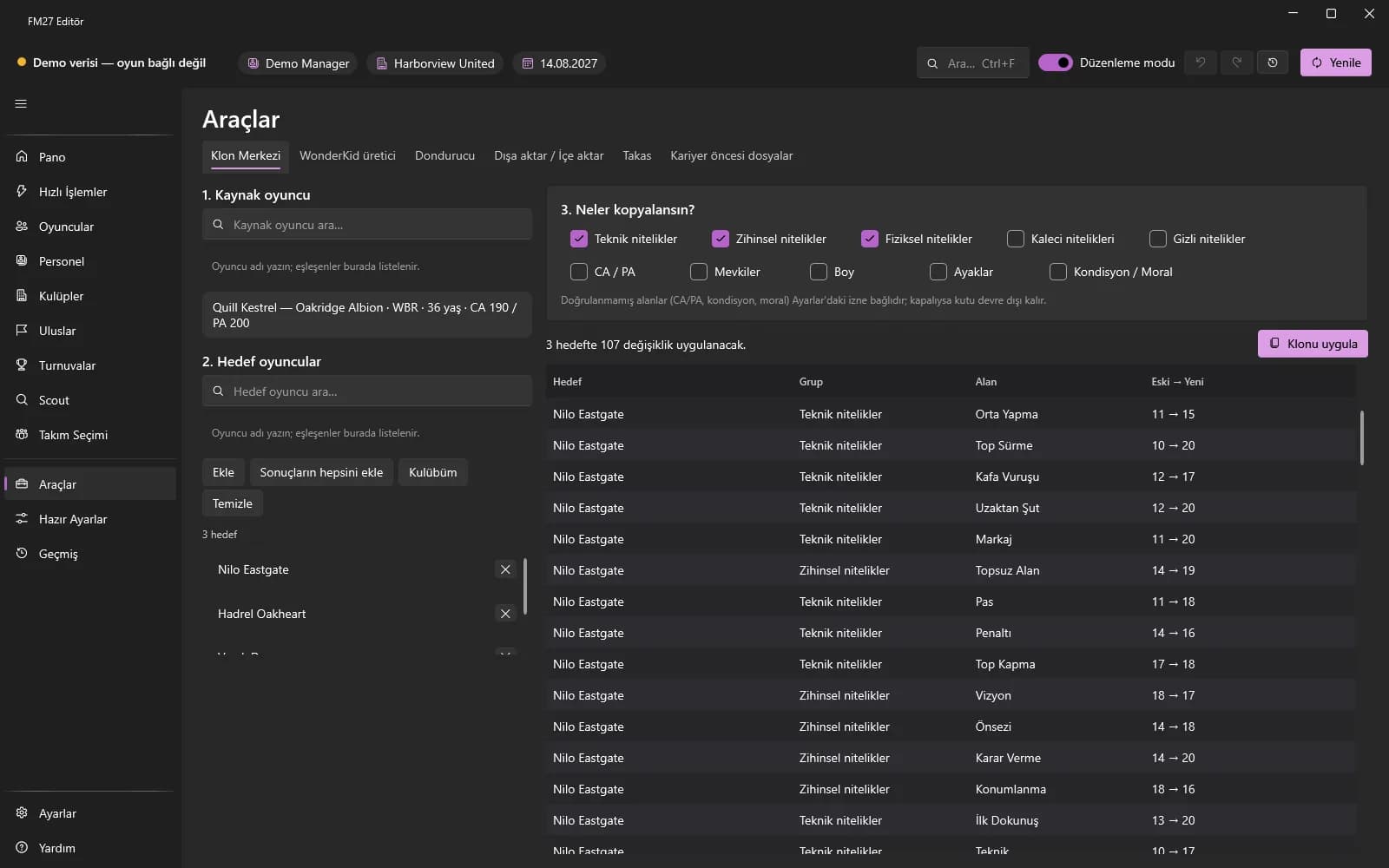
Copy chosen groups from a source player to target players with an old → new preview.
Choose a role, age and target PA; generate attributes automatically and apply them with a radar preview.
Keep player and staff fields fixed, or allow them only to increase.
Export person lists as RTF, CSV or JSON; carry this session's edits over to another career.
Swap the clubs of two players with a preview.
Create custom season start date and real fixture files for a new career.
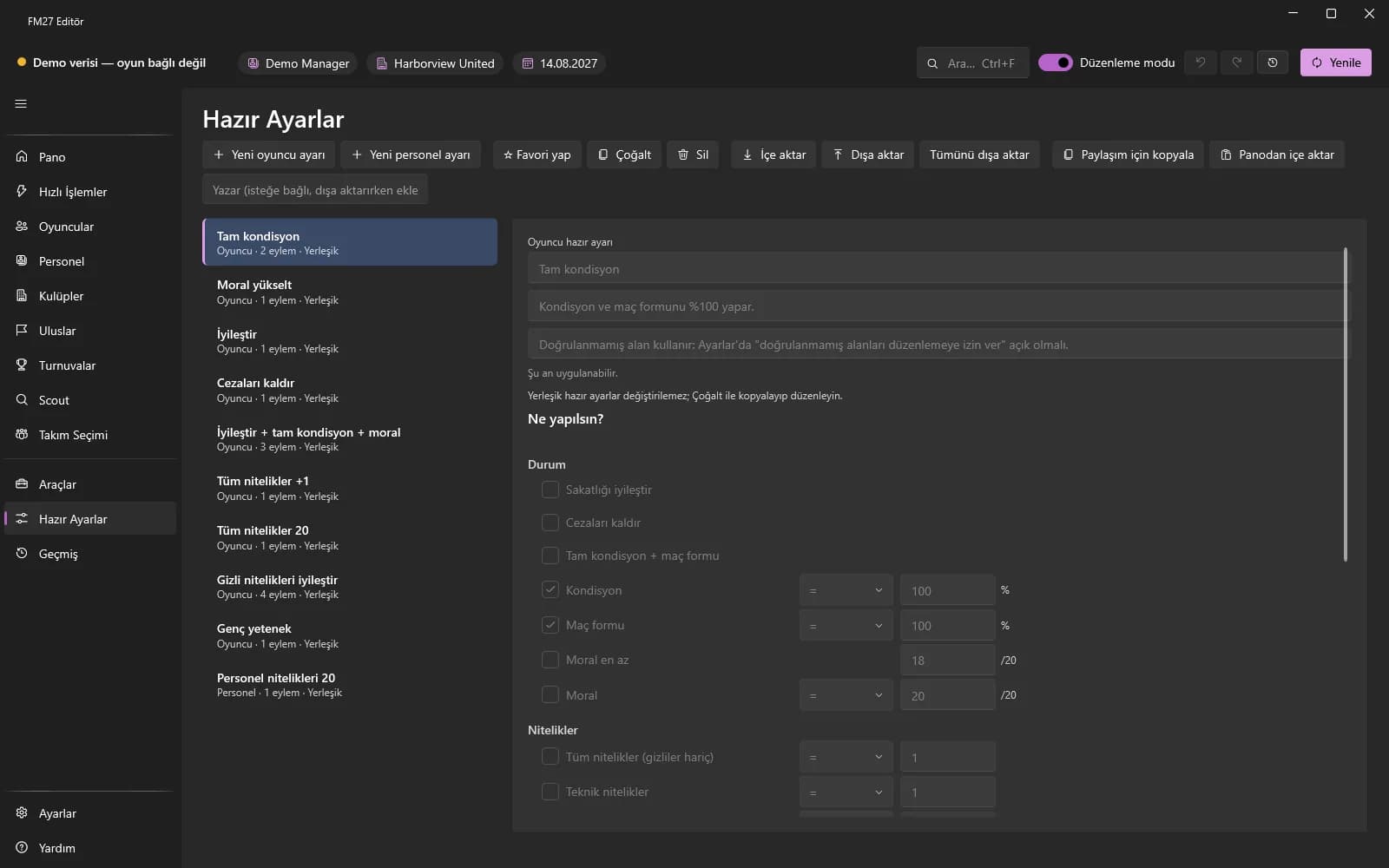
Build player and staff presets with the "What should happen?" checklist and advanced rows.
Share and import presets as .fmpreset files or as short text on the clipboard.
Select rows in the Players, Staff or Scout list and apply with "Preset ▾".
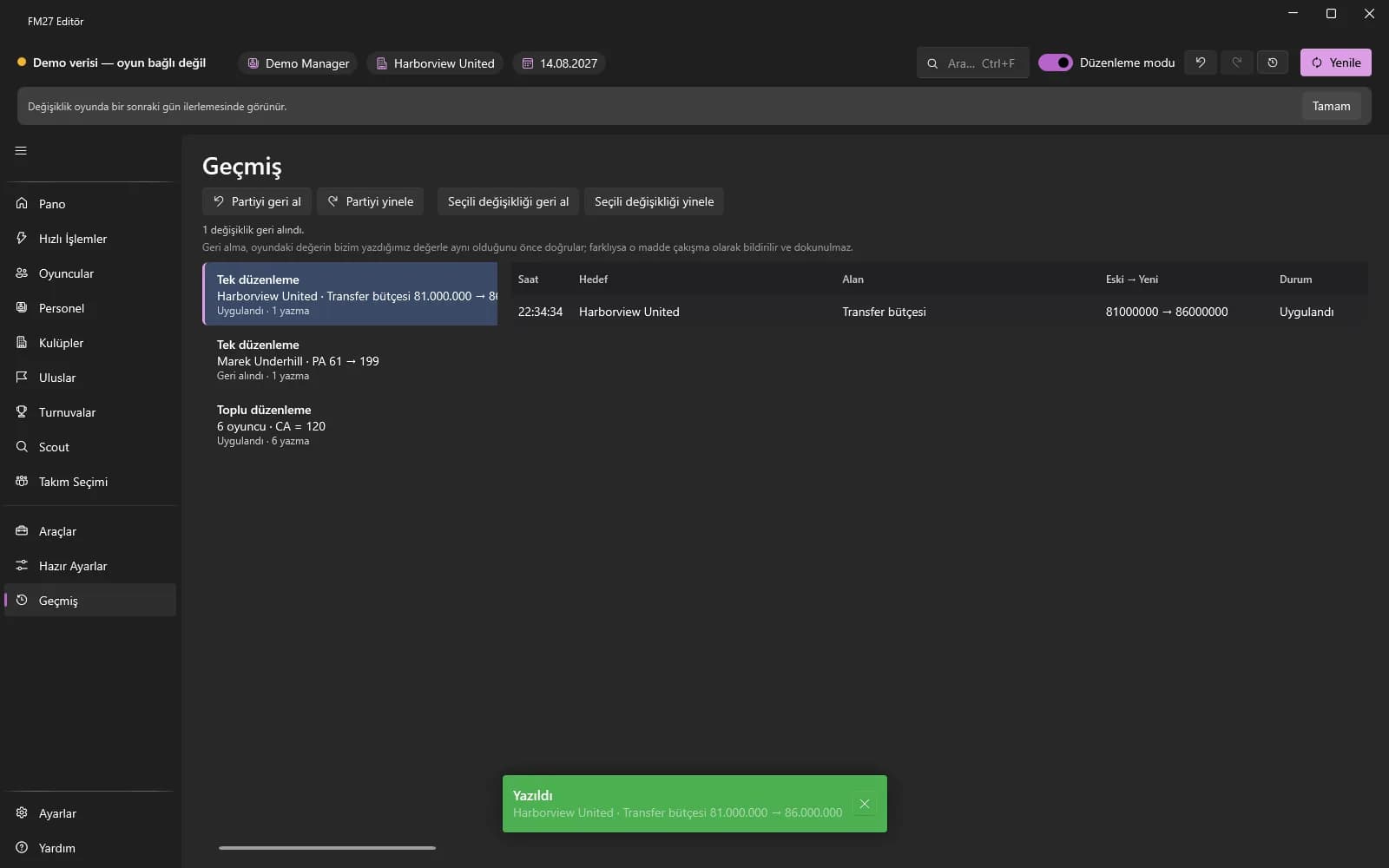
Every edit batch of the session is listed with old → new values; undo a whole batch or a single change.
Language, currency, editing switches, faces, updates, backups and bug report.
Module page: SettingsThere is no publishable screenshot for this module yet.
Use the app in Turkish or English.
Show and type amounts in GBP, EUR, USD or TRY; the rate is read from the game.
Advanced switch, unverified fields, experimental features and automatic Edit mode on connect.
Choose a face pack / logo pack folder; assign custom images to players and clubs.
At most one automatic check a day, manual checks and SHA256-verified installs.
Your career save is backed up automatically the first time Edit mode is turned on in a session.
Create a zip with version, connection and log information for support.
App version, game version and profile status; the log folder.
Reach everything by typing with Ctrl+K; keyboard shortcuts.
Module page: Command palette and shortcutsFind and run quick actions, presets and pages by typing.
Ctrl+K, Ctrl+F, Ctrl+Shift+F, Ctrl+Z / Ctrl+Y, F5 and table shortcuts.
Free and licensed
Without a license every page opens read-only. Every action that writes to the game needs a license and Edit mode.
| Module | Free | Licensed |
|---|---|---|
| Getting started and platform | Install, connect, Help and settings | Edit mode and the automatic save backup |
| Dashboard | View the summary and club values | Edit budgets and facilities directly |
| Quick Actions | View the page and tiles | Use every tile and the Automatic switches |
| Players | View all data read-only | Profile fields, bulk edits and every player action |
| Staff | View all data read-only | Attributes, contracts, swaps and releases |
| Clubs | View all data read-only | Budget, facility, stadium, relationship and ownership edits |
| Nations | View all data read-only | Agreement, rule, rival and squad edits |
| Competitions | View all data read-only | Rule, prize, standings and fixture edits |
| Scout | Search, comparison and export | Applying presets, .fmf import |
| Team Selection and Tactics | Starting XI, rating and formation editor | Saved tactic, instruction and cohesion edits |
| Tools | Person list export and pre-career files | Clone, Wonderkid, Freezer, Swap and import |
| Presets | Create, edit and share presets | Apply presets to the game |
| History | An empty list, since no edits are made | Undo / redo batches and single changes |
| Settings | All settings, manual backup and bug report | The automatic save backup in Edit mode |
| Command palette and shortcuts | Page entries and all shortcuts | Running actions from the palette |
Explore every page read-only with the free edition; get a license when you want to edit.