Player actions
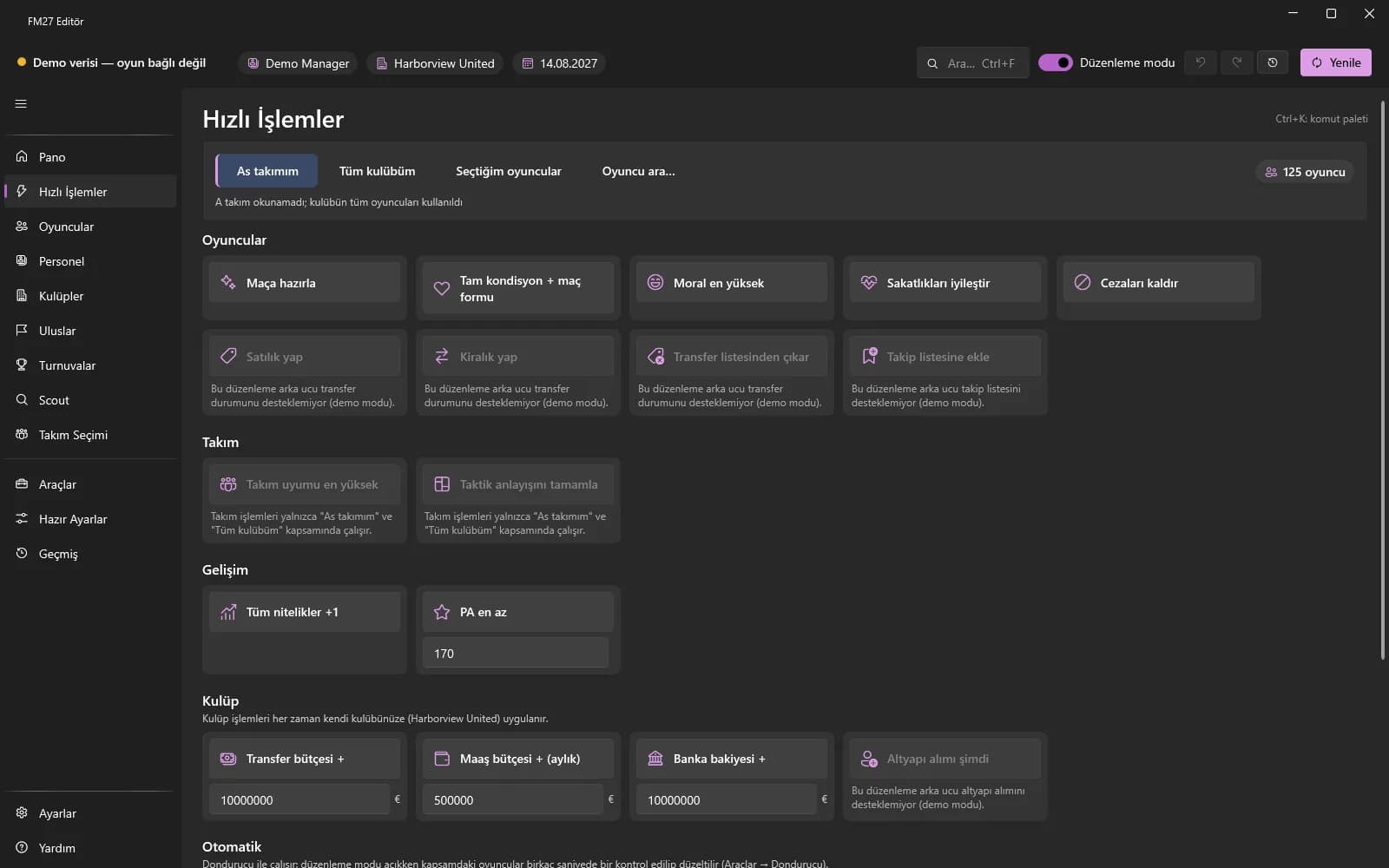
License requiredMay require the advanced switchChoose a scope, click a tile: prepare for match, fitness, morale, injuries, suspensions and transfer status.
First you choose the scope: My first team, My whole club, Selected players or Search player… A single tile is then applied to everyone in scope. "Prepare for match" removes injuries and suspensions, sets fitness and match form to 100% and morale to the maximum.
Other tiles: Full fitness + match form, Morale to maximum, Heal injuries, Remove suspensions, Put on transfer list, Put on loan list, Remove from transfer list and Add to shortlist. Fitness and morale are unverified fields; the app asks for a "Once / Always" permission for them.
How to use it
- Open the Quick Actions page and choose the scope at the top.
- Click "Prepare for match" or another player tile you need.
- For transfer status use "Put on transfer list", "Put on loan list" or "Remove from transfer list".
- "Add to shortlist" adds the players in scope to the game's shortlist.
Limitations and notes
- Adding to the shortlist cannot be undone; players already on it are skipped.
- Each click is written as one history entry.