Players
The player list, the quick edit bar and the profile tabs.
Last updated:
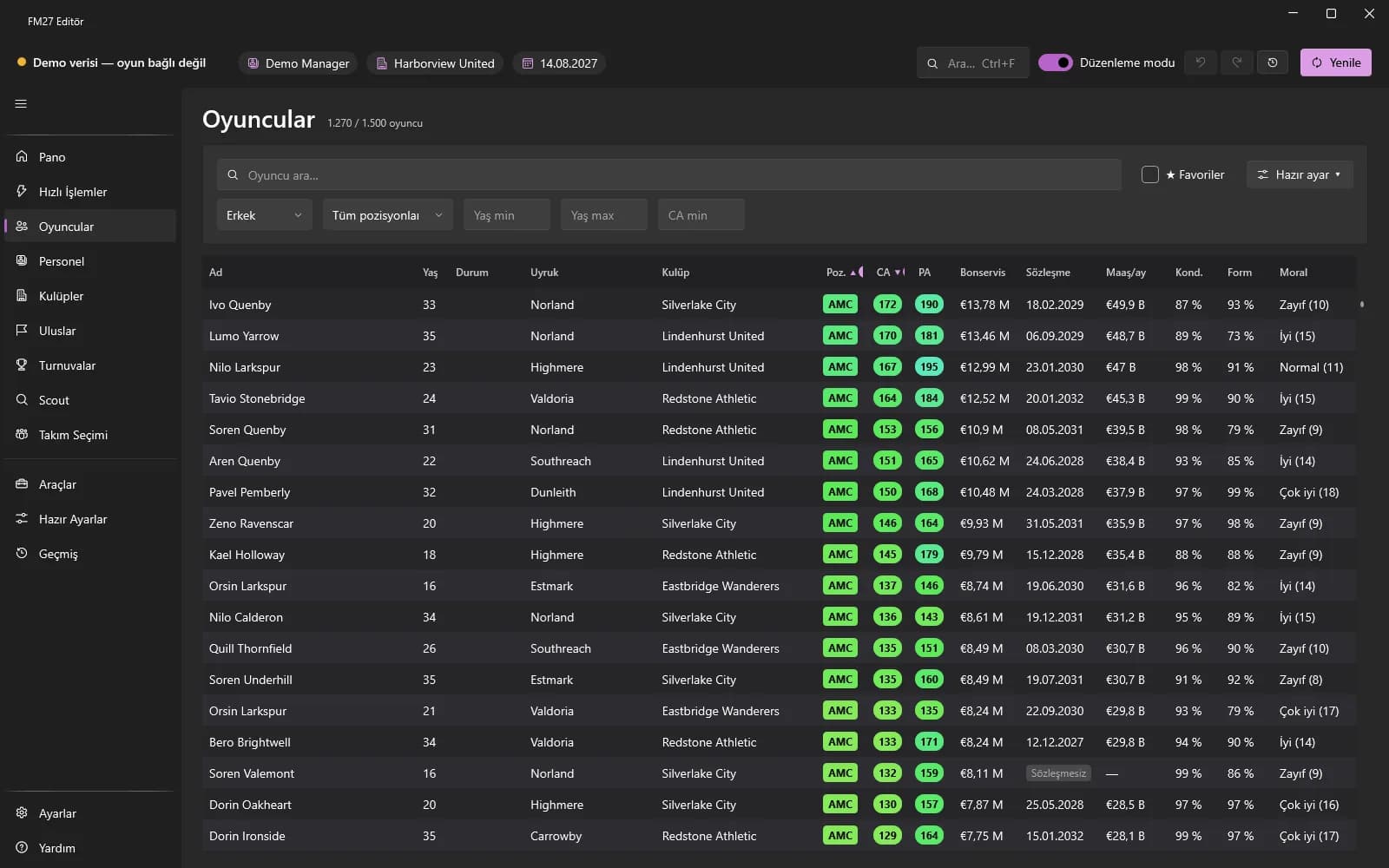
Using the list
- Type a name in the box at the top; narrow the list with filters such as age, CA, position and club (including “Free agents” and “★ Favourites”).
- Click a column header to sort; Shift+click to use up to 3 sort keys.
- Right-click a header to choose columns, clear sorting and reset the layout. Order and widths are remembered.
- Right-click a row to open the actions menu for that player.
- Ctrl+F opens a quick search from anywhere; sentences like “under 21 Brazilian left back” work too.
Quick edit bar
- Turn on Edit mode and select one or more players (Ctrl / Shift).
- Fill fields such as fitness, morale, match form, wage and contract expiry on the bar and press Save; it applies to everyone selected.
- “Set CA”, “Set PA”, “Attributes +N” and “Restore fitness” are bulk buttons.
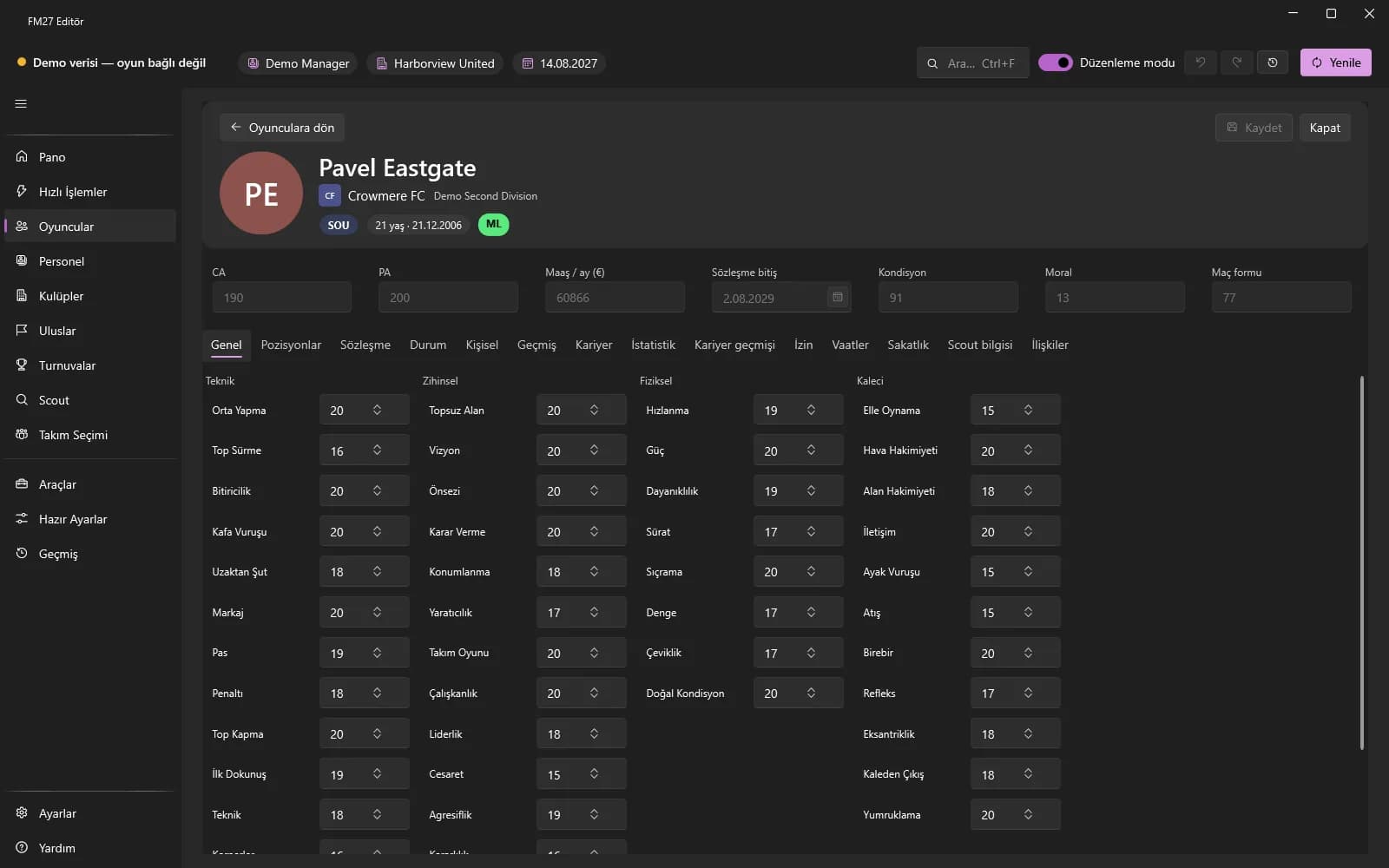
Profile tabs
Clicking a player opens the profile. The General tab holds personal details and attributes (technical, mental, physical, goalkeeper), Positions a 1-20 rating per position, Contract the wage, expiry and clauses, and Personal the names, languages and personality.
Right-click actions
- Transfer and loan status; “Send on loan…”; “Add future transfer…” (the app must be open and connected with Edit mode and Experimental features on).
- “Release…”, “Sign for my club…” (experimental), “Swap…”, league registration (Lsz), add to / remove from shortlist.
- Adding / removing injuries and suspensions, promises, second nationality, work permit, appearance and past-season data are in the profile tabs.