Tools
Clone Centre, Wonderkid generator, Freezer, export / import, swap and pre-career files.
Last updated:
A tabbed tools page. Exporting works without a license; tools that write to the game need a license and Edit mode.
Clone Centre
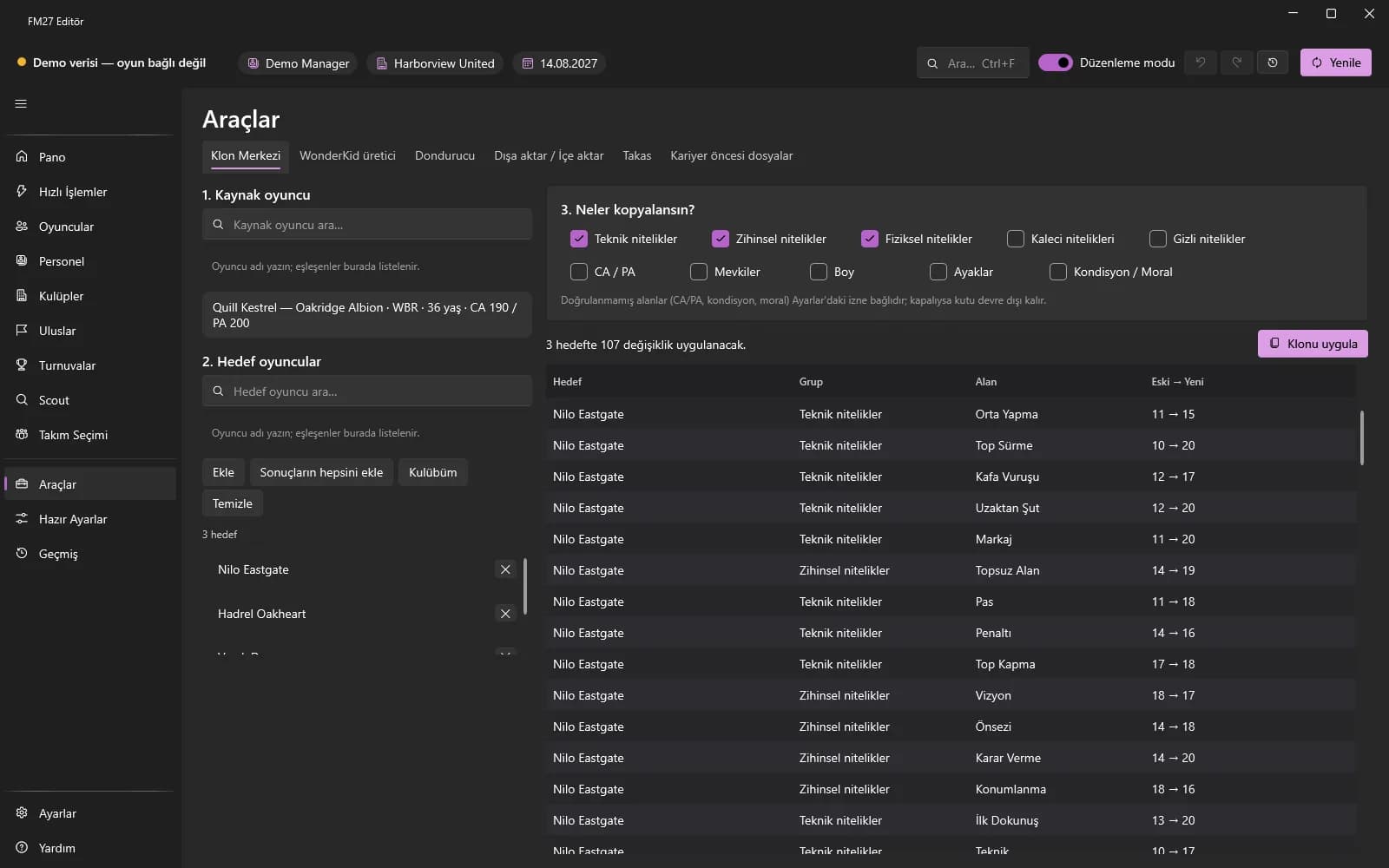
- Open Tools → “Clone Centre”; search for and select the source player and add the targets (or “My club”) with “Add”.
- Tick which groups to copy (attributes, positions, etc.); see the old → new values in the preview.
- Press “Apply clone”.
Wonderkid generator
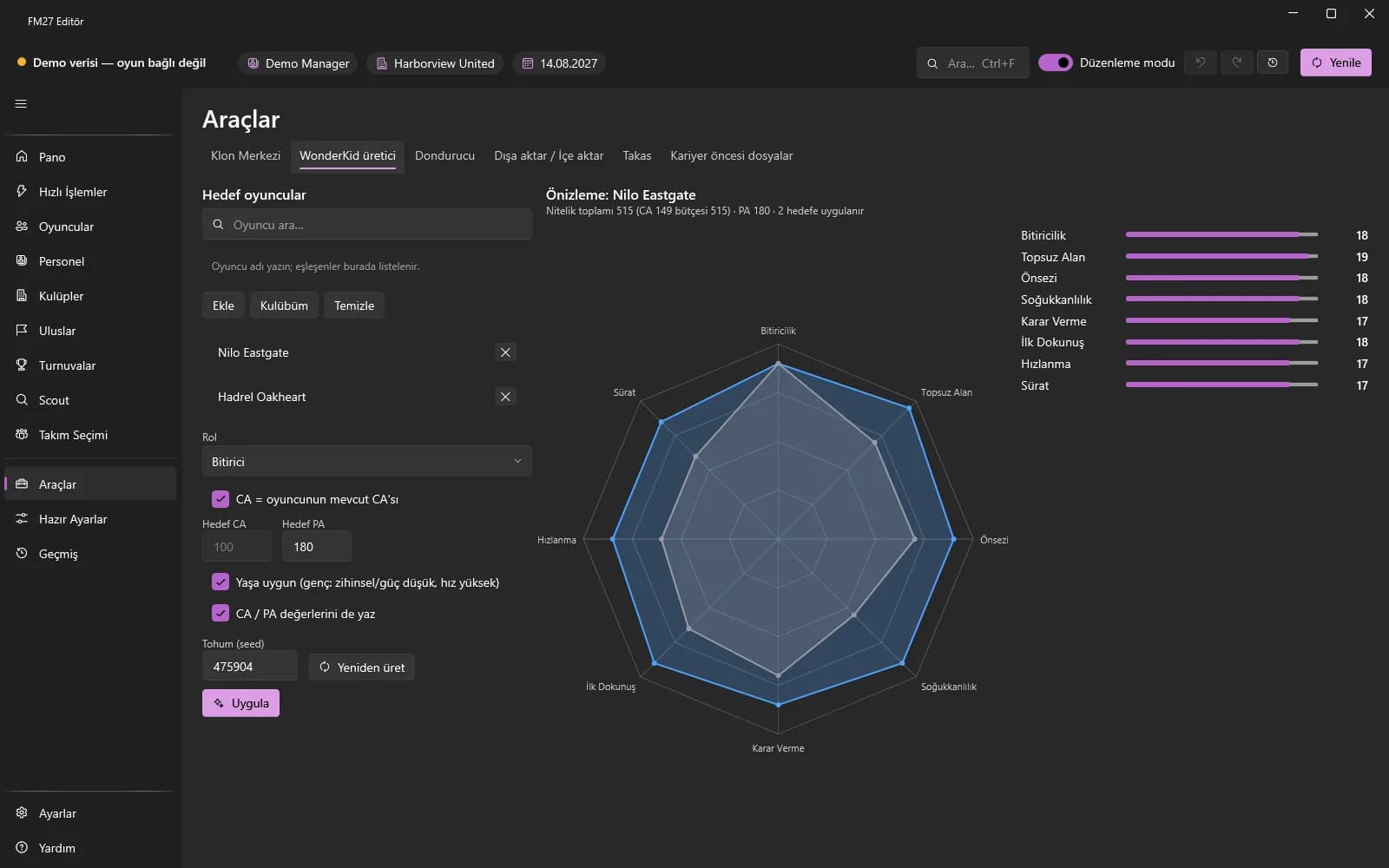
Choose a role, age and PA to generate attributes for a player automatically and apply them; there is a radar preview.
Freezer
- Add the target players / staff and the fields (fitness, morale, attributes…).
- Choose a mode: “Keep fixed” always keeps the value the same, “Can only increase” allows increases and undoes drops.
- You can remove entries from the list or watch their status and last correction time.
Export / Import
- “Export session edits” writes this session's changes to a file; in another career load it with “Choose file and preview…” and press “Apply” (a single batch).
- You can export the person list as RTF (NewGAN), CSV or JSON.
Swap
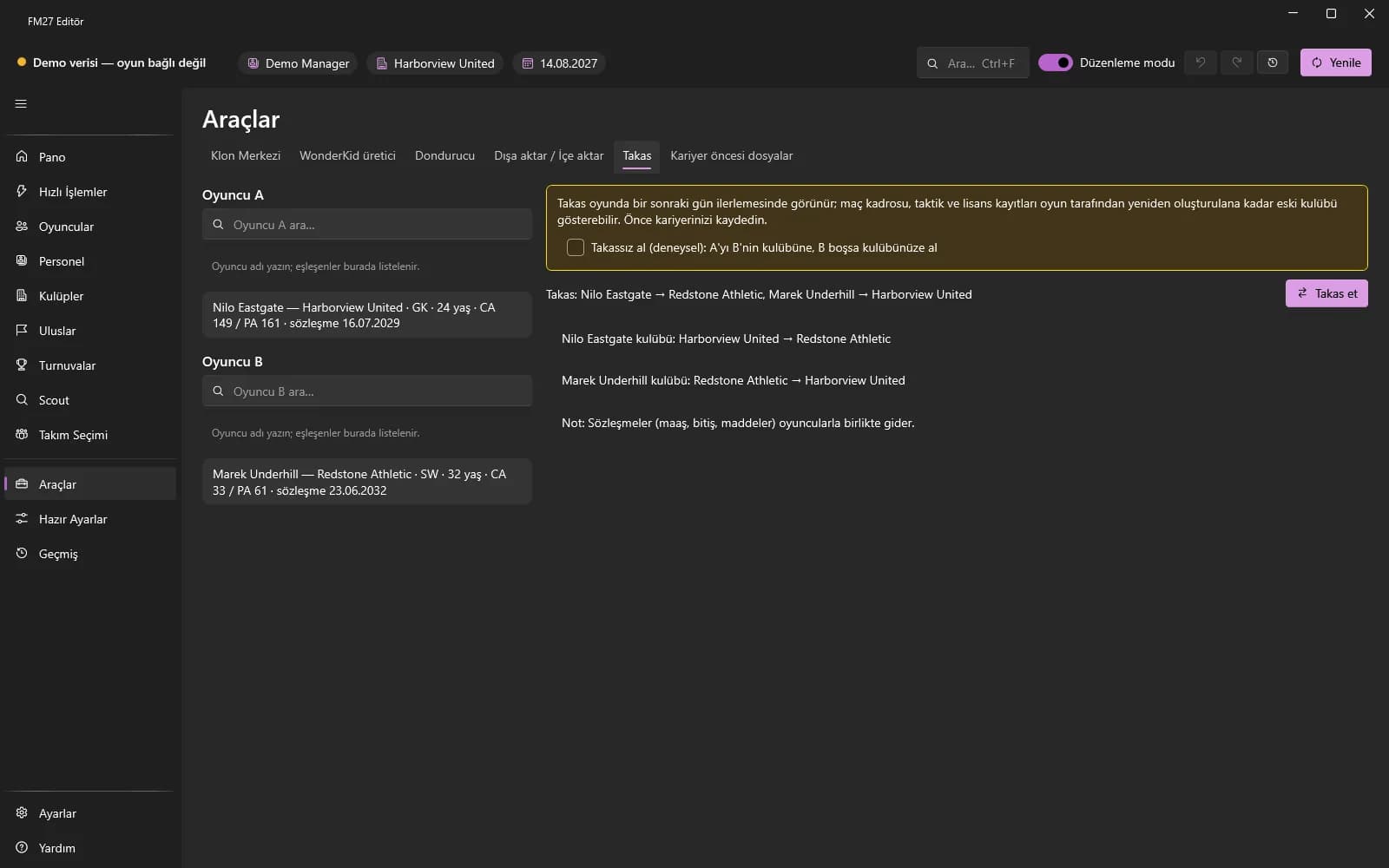
Select two players, check the preview and apply. With “Take without swapping (experimental)” you can sign player A for B's club, or for your club if B is empty. Players with loan contracts are refused.
Pre-career files
- Press “Load leagues”; for a custom season start choose a league, type the “New start” date and press “Create”.
- For real fixtures prepare your own list with “Export setup fixtures” or “Import CSV” and create the file.
- In the game, tick the file's box in the New Career → Database → Editor Data Files list and start the new career.