Competitions
Leagues and cups: reputation, rules, standings and fixtures.
Last updated:
Pick a competition on the left; the tabs are General, Rules, Standings and Fixtures. If no data shows, press Refresh.
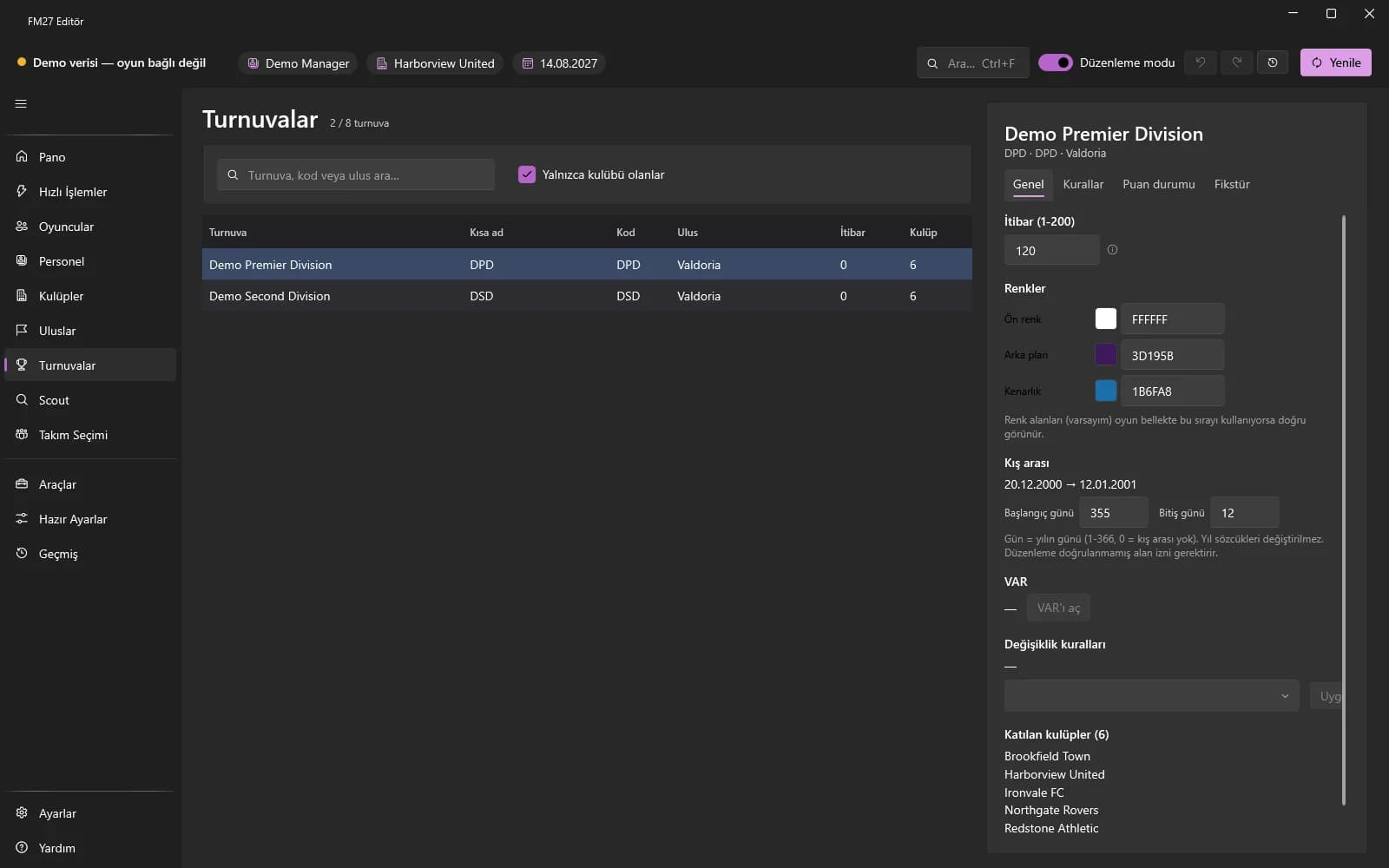
General
- Change the reputation (1-200) and press Save.
- Type RRGGBB in the colour boxes and press “Save colours”.
- Type the winter break start and end days (day of the year, 0 = no winter break) and save; turn VAR on or off.
Rules
- Squad rules: change the maximum squad size and the home-grown limits and save. The game's registration screen only shows the new limit after you save and reload the career.
- Substitution rules: choose one of the game's ready-made rule sets and apply; matches already played are not affected.
- Transfer windows (experimental) and prize money sections are also on this tab.
Standings and fixtures
In Standings you can edit teams' P, W, D, L, goals for / against and points; “Preview” shows the result and “Save” writes it. In Fixtures you select an upcoming match and type a new date to change its date.